27 October 2026
Big Kids / Pride & Preju-knits
Issue No. 141
A DARK, PSYCHEDELIC COMING-OF-AGE STORY BY AWARD-WINNING COMIC ARTIST MICHAEL DEFORGE
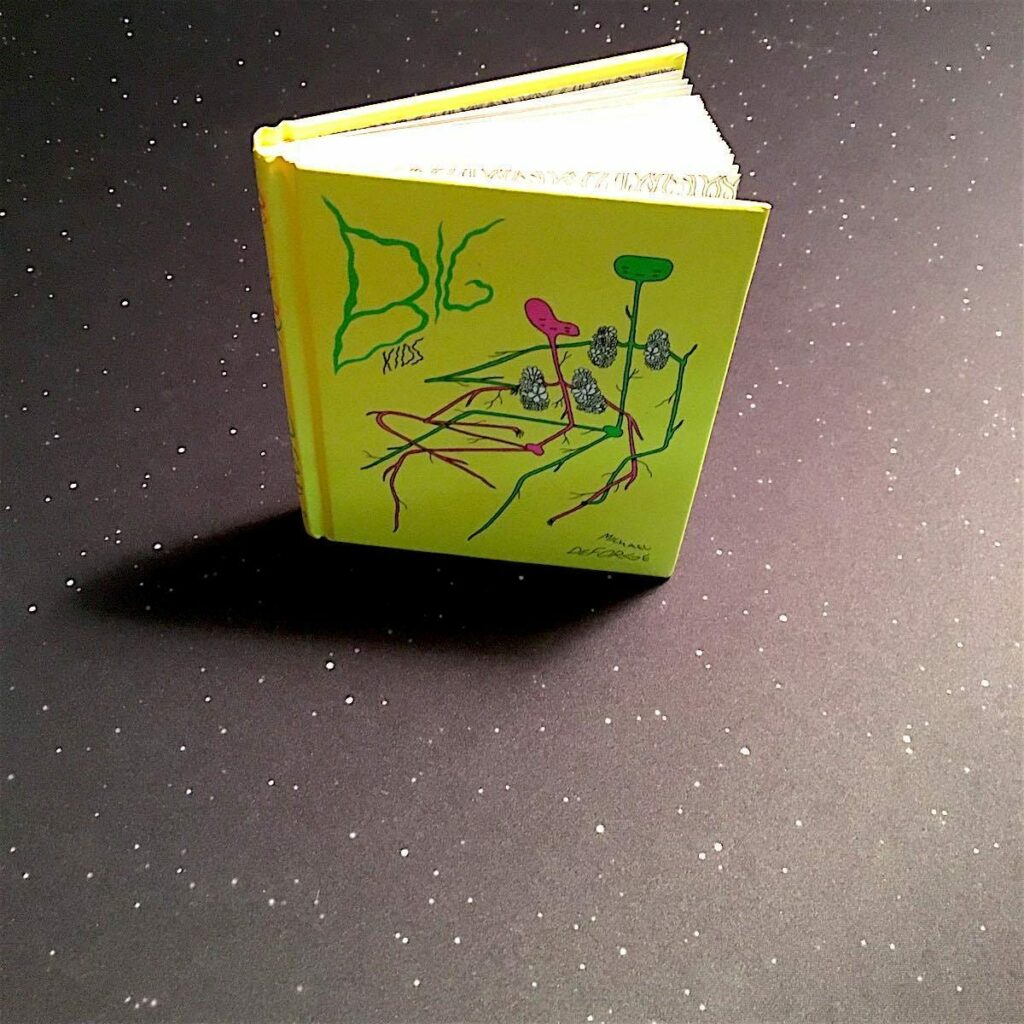









Big Kids
by Michael DeForge
Drawn & Quarterly
2016, 96 pages, 5 x 6.2 x 0.6 inches
I have been fascinated by the work of Canadian comic artist Michael DeForge for a while now. If you like unvarnished explorations of the human psyche and the high weirdness that an unhinged mind and a free hand can render, check out Michael’s Lose series, Very Casual, and Dressing, all from Toronto-based comics publisher of note Koyama Press.
Big Kids is something of a departure for DeForge, or at least it starts off seeming that way. On the surface, Big Kids is a dark and mopey coming-of-age tale. It concerns a troubled teen boy who lives with his parents and a recalcitrant uncle in the basement and has awkward, restless sex with his best friend, in-between dangerous dares, bullying, bouts of petty vandalism, and other adolescent antics.
When the boy’s uncle gets kicked out of the house and a female college student moves in – a girl with a very different take on life who hangs with a group of more sophisticated, less juvenile delinquent friends – something extraordinary happens. Too many other reviews of this book spoil what comes next, which I think is a shame. I knew nothing of what was about to happen and was really stunned by the whole thing as a result. The book is obviously meant to be a meditation on the profound transformations we go through at different stages in our lives (especially in becoming a teen), and how strange, terrifying, and wondrous those changes can be. But this is done in a unique way that you could never guess is coming.
Michael DeForge’s work seems to be all about challenging our perceptions of identity, reality, and the comic form itself. Every time you delve into one of his pieces, you have no idea where you’re going to end up. Or just how splintered your mind will be by the time you get there. Big Kids manages to do all this while still delivering a touching, if somewhat disturbed, take on a classic tale of adolescent angst. – Gareth Branwyn
PRIDE & PREJU-KNITS: 12 GENTEEL KNITTING PROJECTS INSPIRED BY JANE AUSTEN
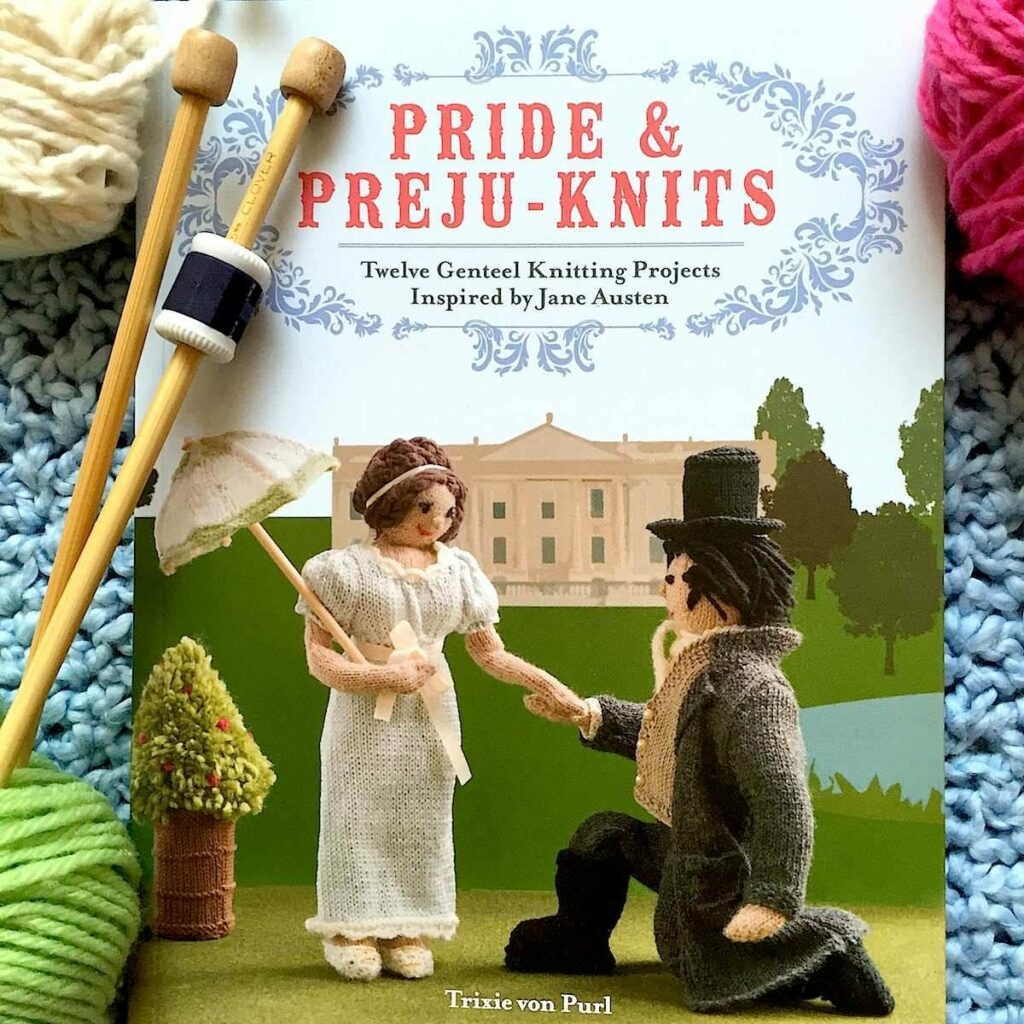




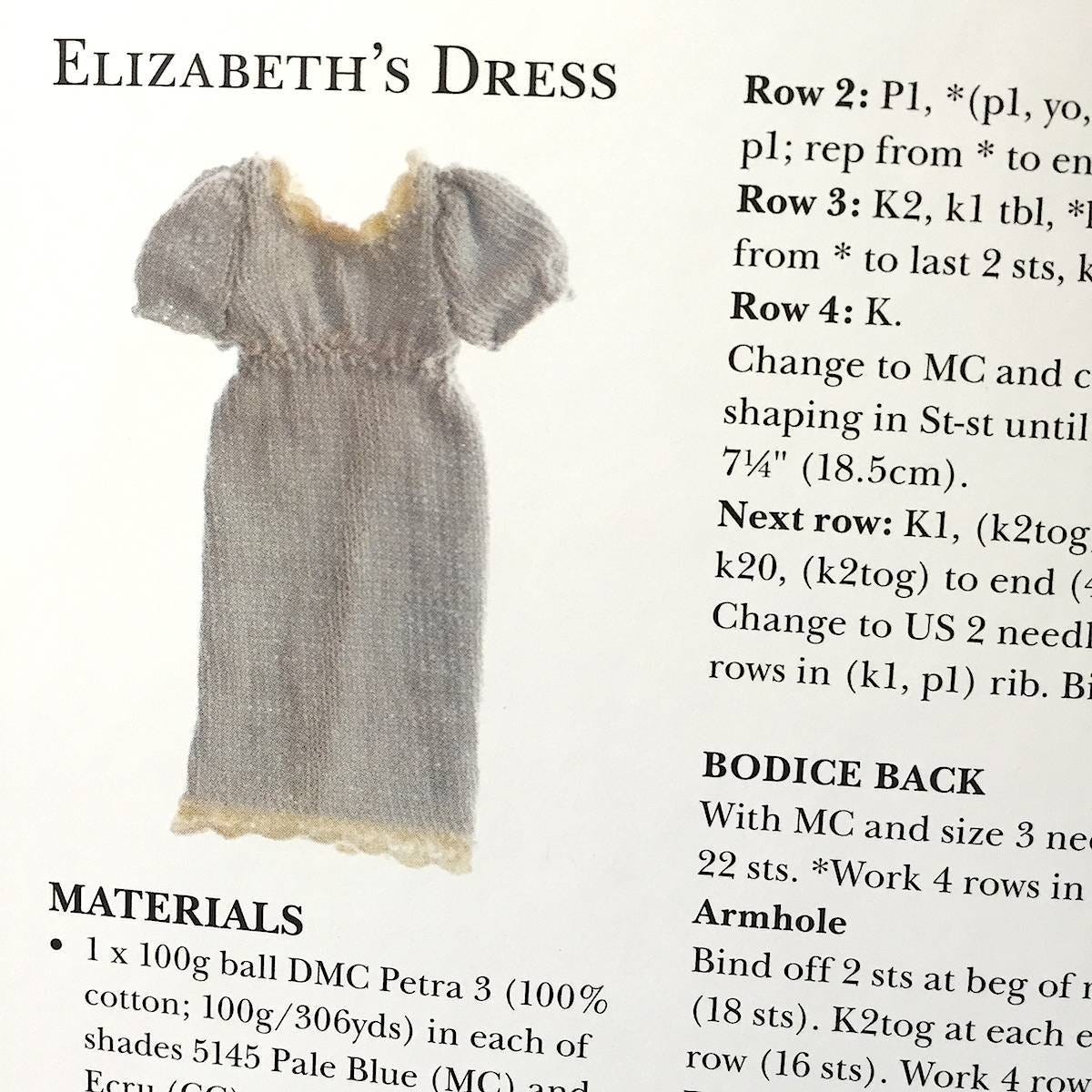
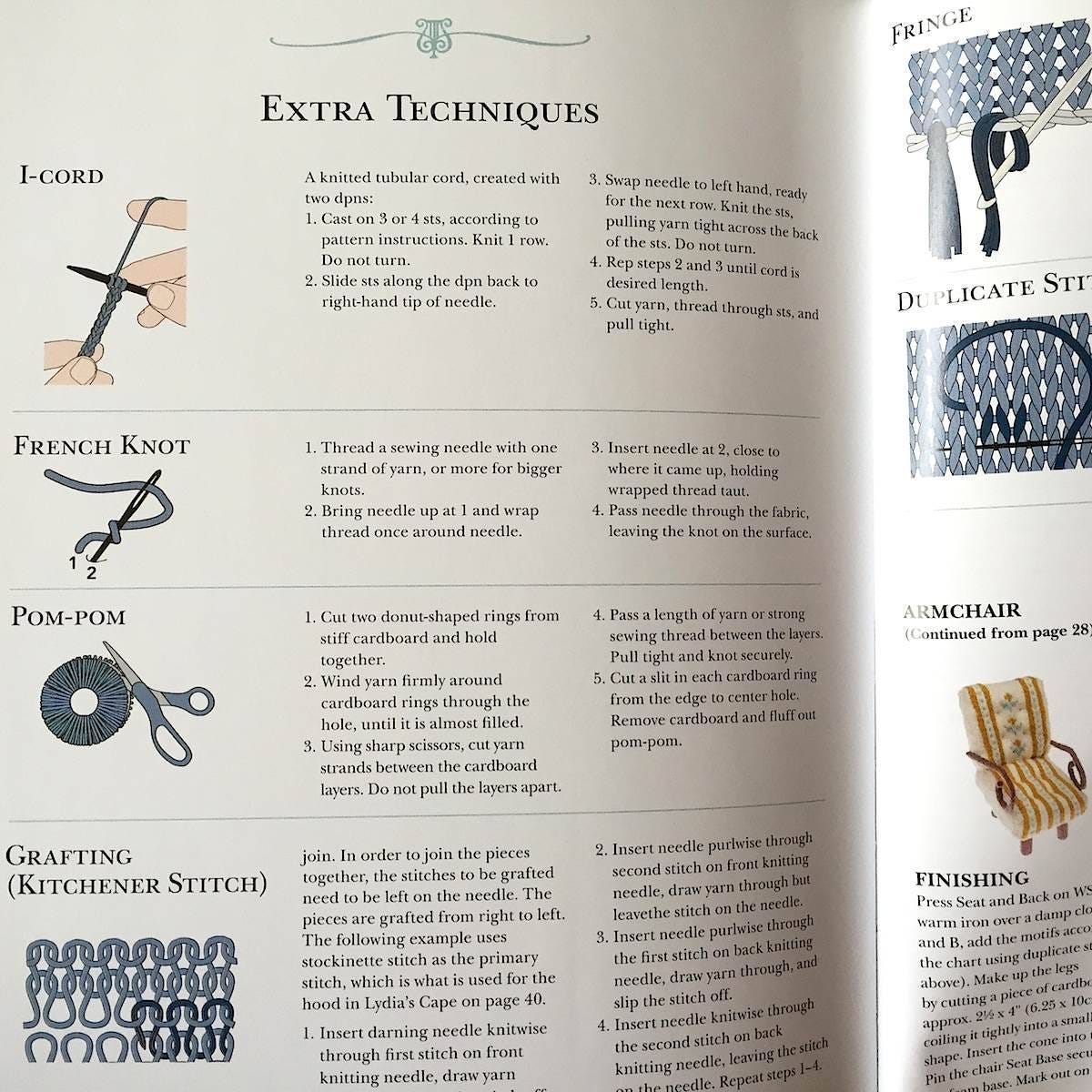

Pride & Preju-knits: Twelve Genteel Knitting Projects Inspired by Jane Austen
by Trixie von Purl
Harper Design
2015, 112 pages, 8.6 x 6.6 x 0.4 inches (paperback)
What’s the perfect book for a crafty, British literature fan with a sense of humor? It’s Pride & Preju-Knits of course! “This book is my life!” my 20-year-old daughter exclaimed when she opened up this adorable do-it-yourself paperback. “I love the fact that they give you just a few simple figures to make, and then so, so many clothing options.”
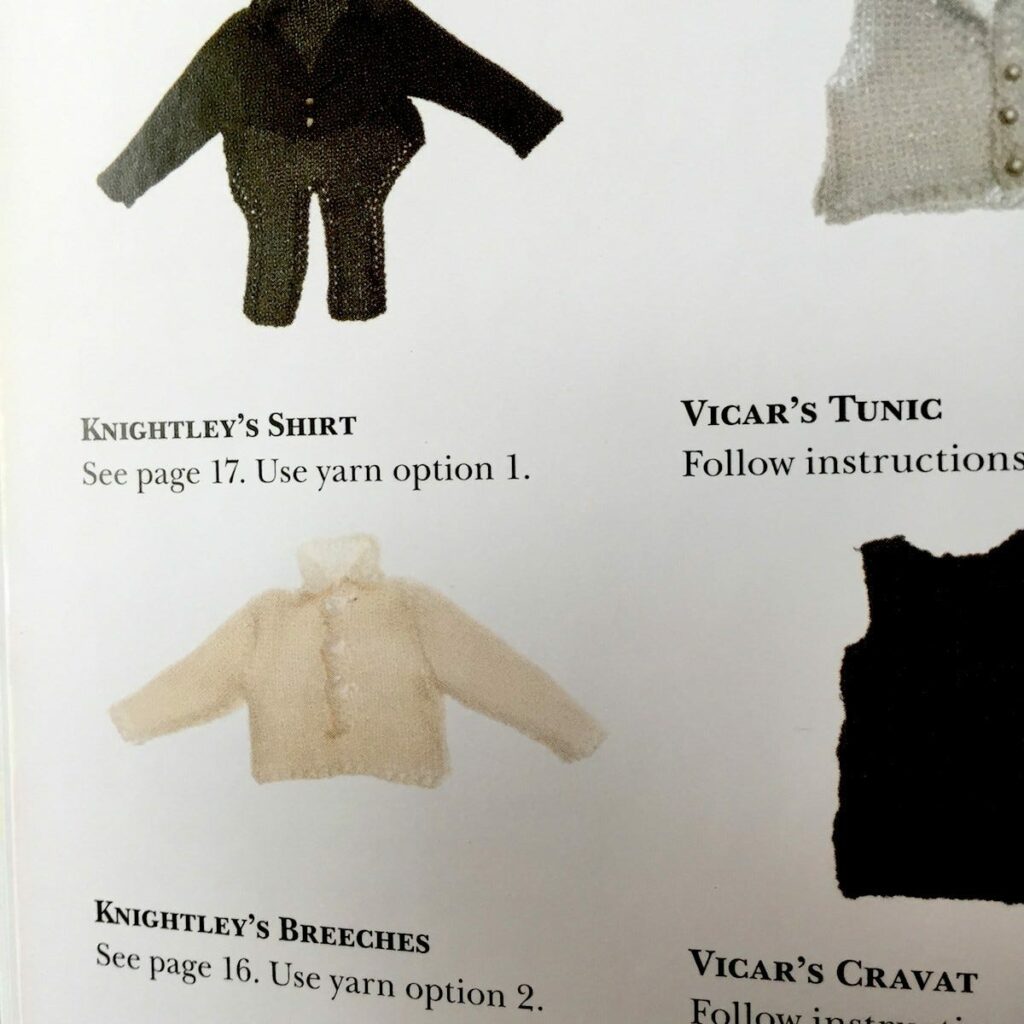
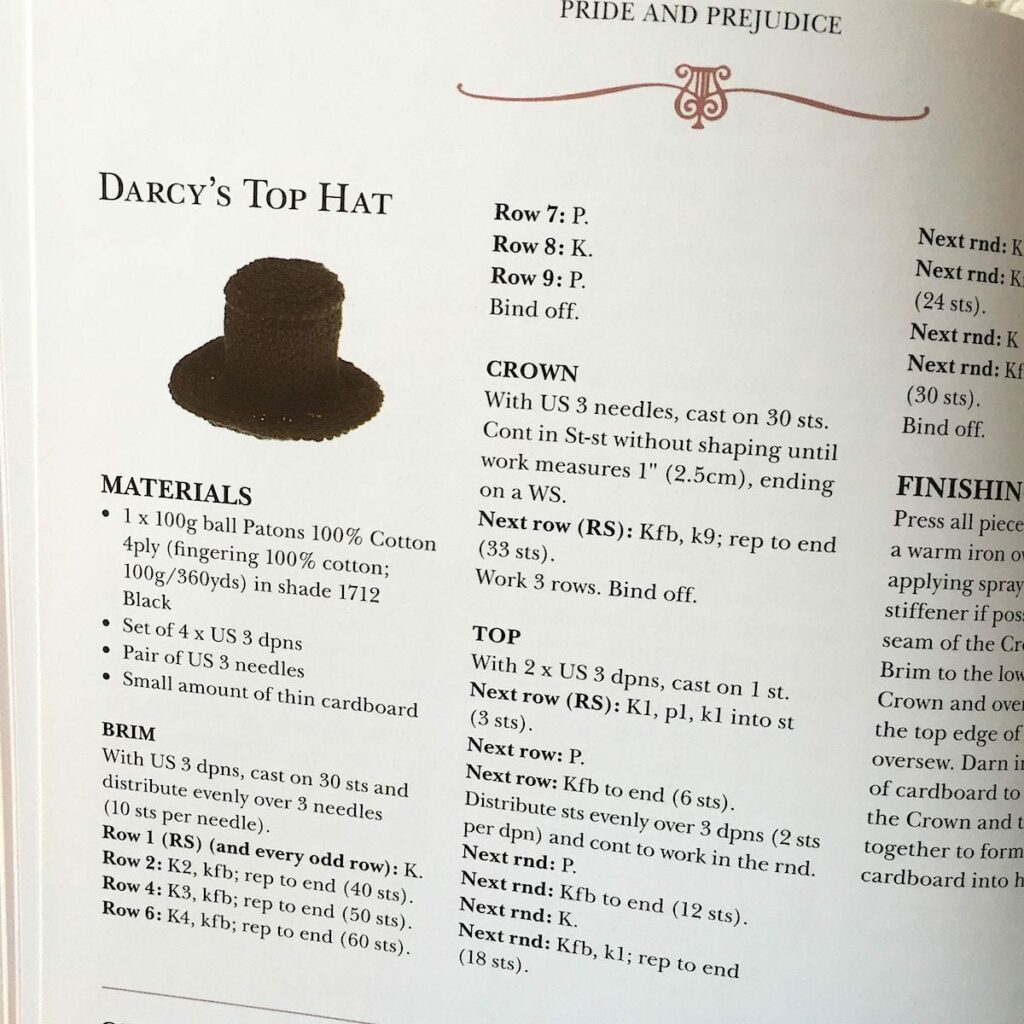
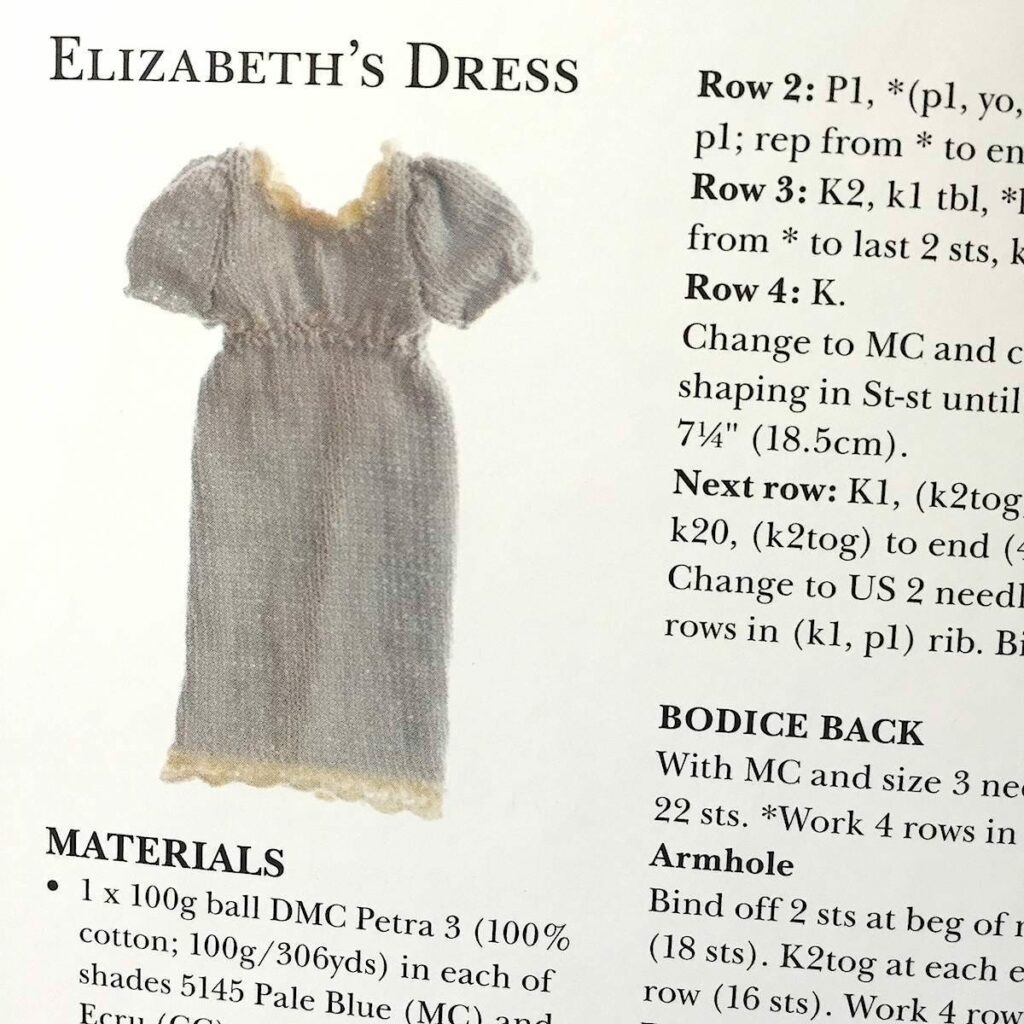
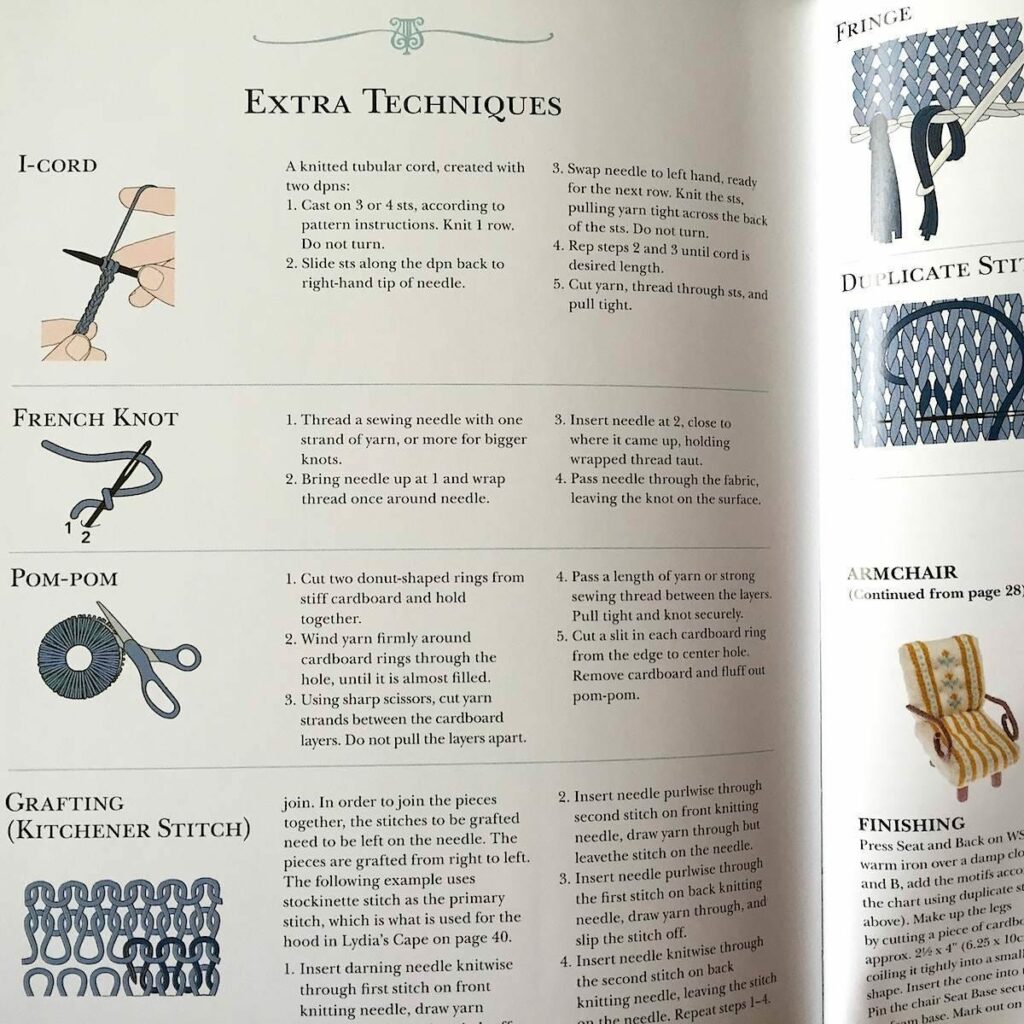
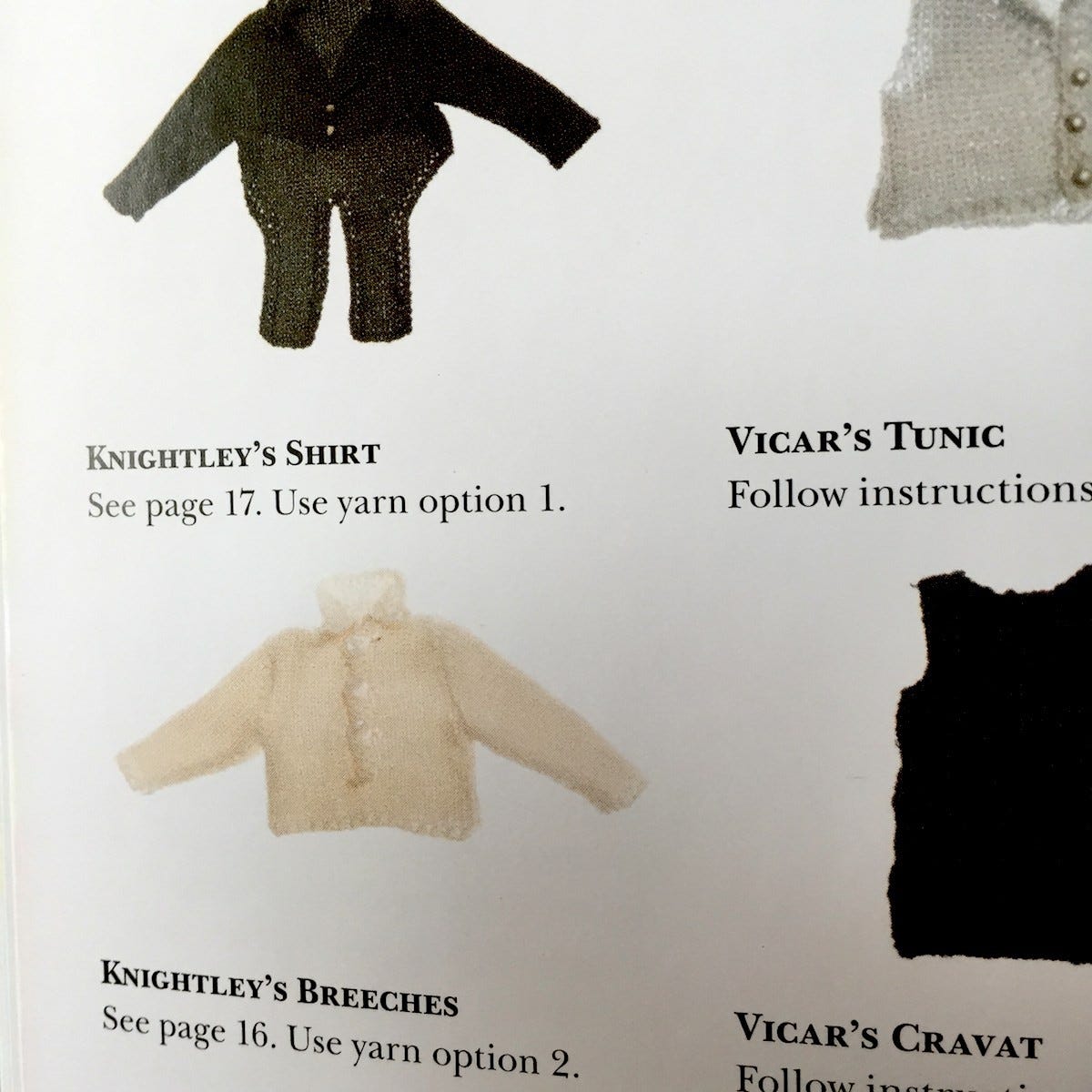
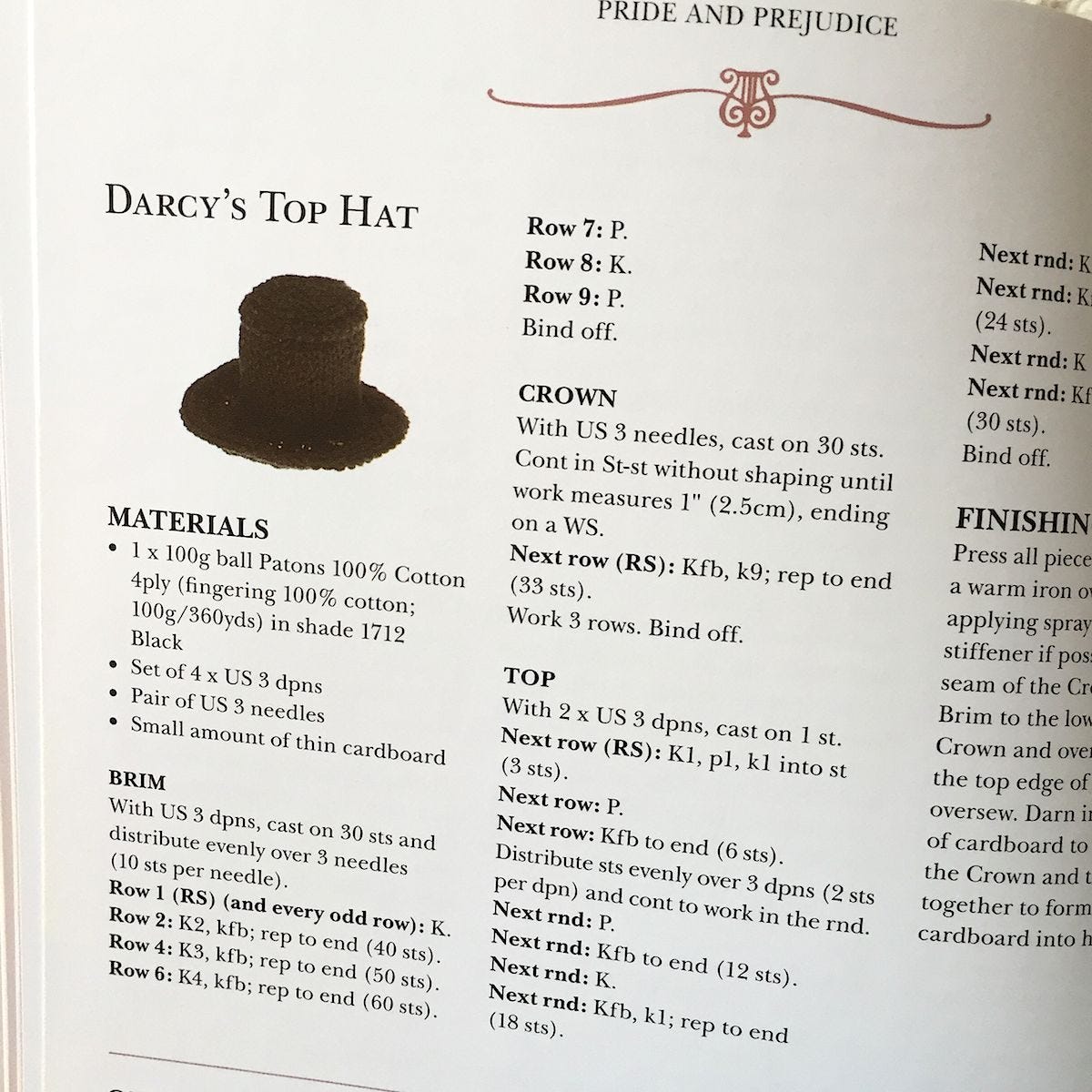
Pride & Preju-Knits contains 12 knitting projects (scenes) based on Austen’s six novels. Every element in these scenes can be knit, including main characters, accessories, animals and furniture. There are detailed instructions on how to knit Regency ladies and gentlemen, how to knit Elizabeth Bennet’s dress and Mr. Darcy’s trousers from Pride and Prejudice, and even how to knit the pianoforte played by Anne Elliot in Persuasion. You can also learn to knit sheep from Sense and Sensibility and for Emma Woodhouse’s wedding dress from Emma. Instructions include the materials, the gauge and how to finish off the piece. Trixie von Purl (aka Geraldine Warner) briefly recaps each Austen novel as well. Although these are very intricate projects, anyone can appreciate the imaginative handiwork and enjoy this charming little book. – Carole Rosner
Books That Belong On Paper first appeared on the web as Wink Books and was edited by Carla Sinclair. Sign up here to get the issues a week early in your inbox.
10/27/2626 October 2026
Pest Control
Tools for Possibilities: issue no. 213

Non-toxic skeeter eliminator
When I saw this cheap trap at Logan’s Trading Post three years ago, I figured what-the-heck, but we’ve been amazed at how effective they are. About three fourths of the way up from the bottom of the jug a tube runs through a hole in each side. Fill the jug with water up to the bottom of the transverse tube, add a pheromone pack, let it sit for a week with the top off (to make sure it gets the right attention), then close it after topping the water off. The mosquitoes fly into the tube and lay their eggs. When they hatch, the little mosquitoes can’t figure out how to get out. With luck, in about three weeks the trap will literally be swarming with skeeters.
We empty ours once a year and add new water once a month or so; as long as you break the breeding cycle early enough in the spring it’s not a big deal if you forget to water them later in the season. On our quarter-acre lot, I’ve found that three traps is plenty. So far this season, I haven’t seen a single mosquito (except for the two or three I let out when I opened up one of the traps to top it off w/water). Only one of the three traps have looked really busy this year (last year, it was two of three).
We don’t get many bugs inside. We live in an 1872 farmhouse, so we do get the occasional palmetto bug, but never up so high as to need the Bugzooka. However, living as we do, in the North Carolina piedmont, we’re plagued by mosquitoes; particularly the new “Asian Tiger” mosquitoes, which leave me and my sweetheart itching and inflamed for days after working in the garden or yard. We tried the “propane to human breath” machine (the Mosquito Magnet) for a year or so, and it simply didn’t catch any mosquitoes. The fan was not powerful enough to suck in the little buggers, so the mesh bag they said would be full of bugs was full of dust and pollen. We tried the doughnuts you’re supposed to dunk in places (like gutters) where water stands from time to time, and they didn’t help. We drilled holes in all of our trashcans and recycling bins, but they still bred mosquitoes. We heard about services that will spray some sort of natural insecticide all summer long, but they were too expensive.
With these traps, we can now work in the yard or garden or sit on our porch — one of the small joys that defines Southern living — without fear. — Steven Champeon
Hurts bugs, not plants
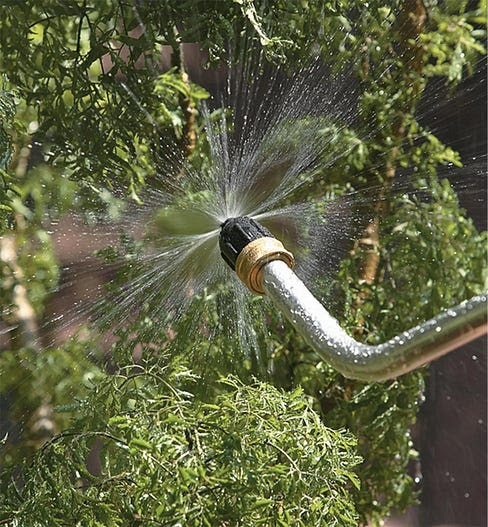
The Bug Blaster is a great insect control tool for the garden. It is completely organic–it only uses the force of water. I have used the tool for three years and love it. You just attach it to your hose and turn it on. The water is forced out a tiny hole and guided in such a way that it comes out in a fine spray that is a flat circle. Stick the nozzle in your plants and it knocks all the insects and eggs off, those below the leaves and those above.
Every gardener knows you can remove aphids by hosing the plant, but it is difficult to get the ones under the leaves. On delicate new growth, the hosing can injure the plants. But the Bug Blaster has such a fine, controllable spray that it cleans the plants of all the pests and doesn’t harm the plants. The good insects are usually hard shelled and aren’t injured. Since I bought this tool I haven’t used any other pest control method. — Terry Powell

Guide to edible & useful foliage
In the 1970s British bus driver Ken Fern went back to the land. Twenty-five years later he published the first edition of this now-revised compendium, a catalog and guide to a staggering number of mostly-perennial plants that can be harvested for food and other uses. Literally, thousands of seed, root, fruit, flower and leaf crops from a range of bulbs, trees, shrubs, climbers, bamboos, water plants and more. Beyond climatic needs and appearance, plants are described in terms of their taste and, often, highly-specific use (e.g. Asarum canadense. SNAKE ROOT: “a ginger substitute in flavouring cooked foods.”). The index is conveniently broken up into edible uses, like condiments and egg and salt substitutes, and non-edible uses, like basketry, disinfectant, and tooth care; For more, check out 100 Other Uses. And actually, the Plants for a Future web site offers a searchable database of 7,000 plants. While much of the info from the book is available online, the printed format can be easier to parse and digest. There are sections on “green manures” and how to mulch with cardboard boxes or newspaper and straw, as well as how to make a pond. Despite all the ideas and potential outlined in the book, the final chapter, “Future Possibilities,” truly emphasizes the magical allure of cultivation and experimentation. — Steven Leckart
- Most organic gardeners, when confronted by a heavily weed-infested site, will reach immediately for the fork or spade and spend many hours laboriously digging out as many weeds as they can. Not only is this exceedingly hard work, but it is often far less than successful. Many of the weeds, such as couch grass or thistles, will soon regrow with renewed vigour if even small parts of the roots are left in the ground. There will also usually be an explosion of germination from literally millions of seeds that have been given ideal germination conditions. The newly-dug ground will very soon be covered in weeds again.
The alternative, once more, is to mulch. But this time there must be some organic barrier placed below the mulch to prevent all the weeds from growing through. We have found that cardboard boxes are an ideal barrier to use. They are usually freely available in quantity from local shops, etc., will form an excellent barrier for a year or so, in which time most of the persistent weeds will have died, and then will rot down nicely to add their own organic matter to the fertility of the soil. Other materials that can also be used include newspapers (but try to avoid to many with colour printing and do not use colour supplements on land where you intend to grow food) and carpets (but only those made of natural materials such as hessian — avoid foam-backed carpets).
It is very important to ensure that you apply a sufficient thickness of barrier mulch, otherwise the more vigorous weeds such as thistles and docks will push their way through it. A carpet that is not too worn is usually sufficient, carboard boxes folded flat but not opened out are generally enough, and newspapers about 15 sheets thick are also adequate. make sure that the edges of the boxes or whatever overlap by at least 8 cm, otherwise the weeds will soon find their way to the surface. Autumn and early winter is the ideal time to mulch weed-infested beds, though it can be done at any time of the year so long as as the soil is not dry.

Best gardening innovations
Do plants have ideas? Yes.
I use this monthly to troll for the best in the art and science of gardening. Each month editors Greg and Pat Williams extract the meatiest, handiest, most practical innovations in vegetable, fruit and flower horticulture. They tirelessly glean material from obscure ag-extension bulletins, garden club newsletters, seed catalogs and dusty journals, reading it all so you don’t have to, and translating it into clear English so you can use it. They run no pictures, no ads; only concepts, tools, and techniques. It’s sort of like a Cook’s Illustrated for your garden — the advice is based on scientific testing, and the tools born out of genuine need.
The newsletter is emailed as a PDF file. Because HortIdeas reports “news that stays new”, I recommend the nifty CD of all their back issues. This humble yet intelligent newsletter is an amazing service which should appeal to anyone with a love of perfecting what is possible. — KK
- Ohio State University horticulturists have been evaluating underutilized low-growing willows (Salix species) for their ornamental potential and hardiness. They gathered around 200 willows from a variety of international sources…. Several of the low-growing willows have interesting ornamental features and appear to be excellent candidates for use in small-scale gardens in the Midwest. Some are well-suited to container-growing. We hope that commercial nurseries become interested in propagating and marketing some of these trees! According to the OSU horticulturists, because of extreme variability among seed-propagated willows, it is imperative that individuals with unique qualities be propagated vegetatively
- Several years ago, there was considerable interest in adding hydrogen peroxide to irrigation water to enhance oxygen in the root zones of plants. At the time, some investigators reported increased crop yields with hydrogen peroxide, but, as far as we know, no commercial apparatus was developed. Perhaps the results of recent experiments conducted in Australia will rekindle interest in oxygenated irrigation systems. The Australian researchers injected 0.6 pints per 1,000 square feet of 50% hydrogen peroxide solution via subsurface drip irrigation tape into heavy clay plots following flooding of the soil. Zucchini plants grown in the plots produced 29% more fruits weighing 25% more than the fruits produced without hydrogen peroxide treatment. The researchers also tried injecting hydrogen peroxide at a rate of 0.1% by volume with the irrigation water provided to container-grown vegetable soybean plants in “heavy cracking” clay soil that was kept water-saturated. Yields of soybean pods (fresh weight) went up by 82-96% relative to the yields with no hydrogen peroxide.
Clearly, oxygenated irrigation is a highly promising way to boost production of crops growing in waterlogged heavy clay. We believe there could be a substantial market for a mechanismthat automatically injects hydrogen peroxide into drip irrigation systems. - Moss loves buttermilk and beer. Where did this “old school” formula of mixing moss fragments with buttermilk and/or beer in the family blender come from, and does it work? Moss craves acidic conditions which buttermilk and stale beer provide. While the “moss think tank” at Moss Acres prefers some less odorous methods of preparing a moss shake/slurry, this oft-prescribed method has about a 60% success rate when the moss fragments are kept consistently wet. Al Benner, president of Moss Acres, says: “Our customers tell us the applications for moss are expanding. Moss has always been … popular … in Asian gardens, rock gardens, water gardens, and shade gardens. But every day we are helping clients use moss for creative projects such as interior landscaping, stone walls, and moss roofs.”
- The researchers conclude that the results of the storage trial show that high storage temperatures—apparently achievable simply by having a fairly large pile, without periodic turning— can speed destruction of pathogenic bacteria in solid manures. They also warn of the potential dangers of consuming produce harvested soon after applying fresh manure.
Once a week we’ll send out a page from Cool Tools: A Catalog of Possibilities. The tools might be outdated or obsolete, and the links to them may or may not work. We present these vintage recommendations as is because the possibilities they inspire are new. Sign up here to get Tools for Possibilities a week early in your inbox.
10/26/2625 October 2026
White noise alarm clock / Dopamine Shop / Inner sound journeys
Recomendo - issue #537
The key premise of Recomendo is that everything we have suggested weekly in the past 10 years has been a personal recommendation based on our own experiences. It is something we have seen, heard, visited, or used ourselves. For this Christmas, we’d like to deviate from that principle slightly (and temporarily) to provide you with a dozen of recommendations from our subscribers. That is you. For our brand new Annual Christmas Reader Recommendations issue we will select the best personal recommendations submitted within the next 2 weeks by October 25. To keep it sane, just one recommendation per subscriber. Keep it short and personal. Suggest a product, tool, app, place, book, documentary, podcast, follow—anything—that you genuinely love, and few know about. No self-promotion. Beyond the dozen we share in the newsletter, we will post all of the vetted submissions on our website.
White noise alarm clock
I needed a new bedside clock, so I got this Hotmoon Cocoon Pro 3 sound machine. Besides the dimmable clock display, it has 117 sounds, including 3 kinds of brown noise, my favorite. If you don’t like brown noise, try white, pink, green, blue, red, or gray. Once you set it up with the phone app, you don’t need the app unless you want to stream some of its regularly updated sounds. No subscription is required. It also has a night-light ring with adjustable color and brightness, works as a Bluetooth speaker, and has clearly labeled buttons on top. — MF
Recreational shopping
Recreate the entire ritual of online shopping on Dopamine Shop, or on Food Never Comes: You search for products, compare reviews, add items to your cart, enter a shipping address, place an order, and even track your delivery. That was fun! Then … nothing happens. No package arrives. No money changes hands. The food never comes. Nothing to return or clean up. You consumed nothing, yet you are an ace shopper. If shopping is your comfort scroll, this is very satisfying late at night. (This trend is big in Korea.) — KK
Inner sound journeys
I recently attended an in-person event with visionary Alana Fairchild, where she led us through a guided imagery meditation to meet Great Mother archetypes like the Black Madonna and Kuan Yin. I was especially moved by her chanting and singing. I own many of her oracle decks, but this recommendation is for her voice. You can experience her meditations and sacred music for free on Spotify. — CD
Gossip Goblin
Gossip Goblin is an Instagram channel of short AI-generated films set in a world that looks like a combination of Terry Gilliam’s Brazil and Mad Max. It explores themes of artificial intelligence, biohacking, and the merging of humans and machines. The artwork is incredible, as are the acting, stories, and characters. It’s the first time I’ve watched an AI video without thinking “this is AI slop. The Hollywood Reporter interviewed the creator, Zack London. His feature-length film, Gods Don’t Give Gifts, opens in US theaters October 30. — MF
Revisit childhood through drawings
Kids Trends is a directory of more than 100 million children’s drawings and paintings that you can search by any keyword. Exploring how children picture the world opens up imaginal portals in my mind. — CD
AI-musical debate
AI-musicals are becoming memes – and the new way to debate ideas. Not a normal debate highlights the debate about whether AI is a “normal technology” which has been spun into overdrive with AI-generated musicals defending each side. One musical refutes two academics scholarly paper arguing that AI is a normal technology, and the other AI musical by the two scholars refutes the first musical. Both music
Sign up here to get Recomendo a week early in your inbox.
10/25/2623 October 2026
Book Freak #228: Breakthrough Copywriter
A practical field guide to the copywriting genius of Eugene Schwartz

Breakthrough Copywriter distills Eugene M. Schwartz’s legendary advertising principles into an accessible field guide that shows you how to tap existing desires, match your message to market awareness, and create ads that work.
Core Principles
Channel Mass Desire, Don’t Create It
The copywriter’s job is to aim people’s hopes, dreams, fears, and desires at a specific product.
“The desire must already be there. It must already exist. You cannot create it, and you cannot fight it. But you can direct it, channel it, and focus it onto your particular product.”
Match Your Message to the Awareness
Schwartz identified five levels of awareness, from completely unaware to most aware.
“If your prospect is aware of your product and has realized it can satisfy his desire, your headline starts with the product. If he is not aware of your product, but only of the desire itself, your headline starts with the desire.”
Understand Market Sophistication
The first advertiser to promise a benefit wins. As competitors pile in with the same claim, the market grows skeptical, and the next advertiser has to push harder.
“Copy that successful claim—but enlarge on it. Drive it to the absolute limit.”
Find the Roles Your Customer Wants to Play
Behind every purchase is a person reaching for a version of themselves they want to become, like the savvy investor, the devoted parent, or the independent thinker.
“He has gained, or he has been given, a whole new vocabulary of wants. He now buys, not only objects, but roles.”
Try It Now
- Pick something you want to sell or promote. Instead of listing its features, write down three desires your audience already has that this thing satisfies, rather than explaining what the product does.
- How aware is my audience? Do they know they have a problem? Do they know solutions exist? Do they know my specific solution? Write your opening line to match that awareness level.
- Study three competitors in your space. Notice the claims they make. What can you claim that they can’t?
Quote
“Copy cannot create desire for a product. It can only take the hopes, dreams, fears, and desires that already exist in the hearts of millions of people, and focus those already-existing desires onto a particular product. This is the copywriter’s task: not to create this mass desire — but to channel and direct it.”
Book Freak is published by Cool Tools Lab, a small company of three people. We also run Recomendo, the Cool Tools website, a YouTube channel and podcast, and other newsletters, including Recomendo Deals, Gar’s Tips & Tools, Nomadico, What’s in my NOW?, Tools for Possibilities, Books That Belong On Paper, and Book Freak.
10/23/2622 October 2026
Uniqlo for Basics/Tops for Economy Class/SE Asia Haze
Nomadico issue #229
Good-value Travel Basics From Uniqlo
Back in Nomadico issue #218, I mentioned a men’s travel clothing article I got quoted in quite a bit. Another traveler who was featured mentioned a store I’d never shopped in, a Japanese one Uniqlo, and said it was great for inexpensive merino wool tops, shorts, and t-shirts. While I’m in Asia, I picked up a replacement for a fast-drying workout t-shirt that was getting worn out, an anti-odor wicking one that feels better-made than what you’d expect for $15. My last stop is Saigon, so I’ll probably snag a couple more before coming home.
Best Airlines for Economy Class
Skytrax runs the most respected annual rundown on top airlines because it relies on consumer surveys only, which tend to reflect the overall mood and service level more than obscure data points like on-time performance. The latest economy class report is dominated by Asian and Middle Eastern carriers. Anyone who has had one leg on Cathay Pacific (#2) and then a connection on American Airlines will give you an earful about the differences. Delta was the only North American carrier to make the top-20. Singapore won again, while others in the top 5 were Qatar, EVA, and All Nippon (ANA).
Toxic Haze in Southeast Asia
While there have been plenty of natural disasters happening around the world lately, the haze blanketing much of Southeast Asia for more than a month now is a man-made problem. The annual “Haze Season” is caused by farmers following slash-and-burn agriculture, including more than a few big Asian corporations. While the practice has long been squashed in most of the world, the rules in this region are poorly enforced, especially in Indonesia, so neighboring countries deal with dangerous air quality and poor visibility. El Nino is making it worse than usual: here’s the full story.
Disney World or a Luxury Tour?
According to a study that landed in my inbox from a company called FloridaRentals.com, it will cost a family of four an average of $4,064 this season to stay at one of the official Disney World resorts around Orlando. That’s already enough to put a family into a very nice house or apartment in much of the world, but if you pick the top option, Polynesian Village Resort, a week’s lodging will set you back $7,969. That’s before you pay the outrageous park entry fees or buy overpriced meals for everyone, so figure the total tab will be twice that. The things a mom and dad could do with that much money! It’s a dreamy travel list.
A weekly newsletter with four quick bites, edited by Tim Leffel, author of A Better Life for Half the Price and The World’s Cheapest Destinations. See past editions here, where your like-minded friends can subscribe and join you.
10/22/2621 October 2026
What’s in my NOW? — Tony Franco
issue #275
Tony Franco is a fractional COO and founder of SageWell Advisors, helping founder-led ecommerce and CPG brands build the operations to grow. He’s also Team Director for his town’s NICA youth mountain bike team, which he counts as one of his clients. Not a well-paying one 🙂
I can be found at LinkedIn. Hit me up – happy to help with all your type 2 fun needs.
PHYSICAL
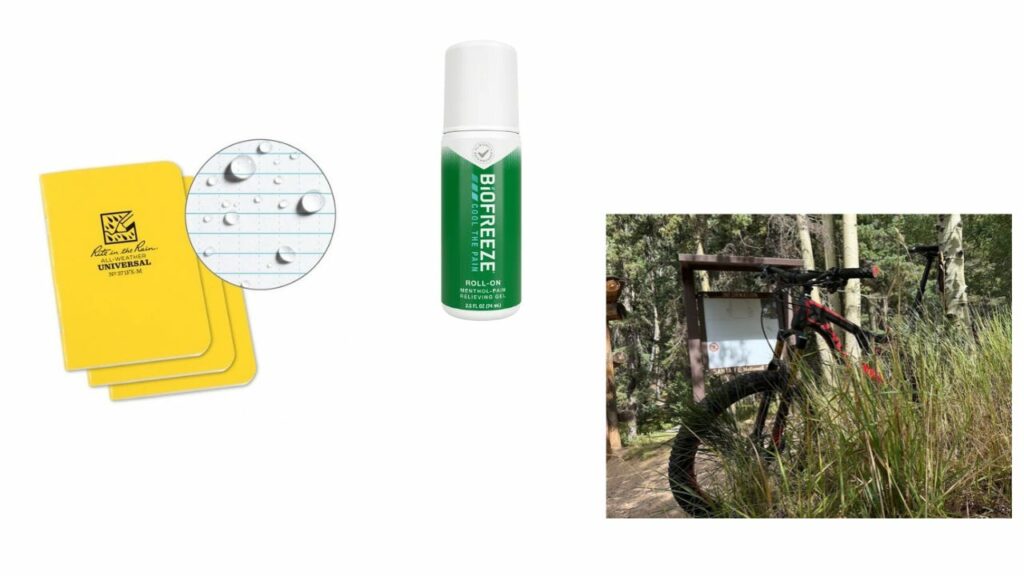
- Rite in the Rain notebook. Always a notebook. Writing something down does something to my brain, and I think it tells the other person that what they say matters and is worth remembering. I’m not a long-form journaler, more of a scribbler and jotter. My current favorite is a Rite in the Rain I picked up at my favorite local outdoor store before our summer mountain bike trips out west.
- Biofreeze roll-on. Sort of addicted to it. It lives on my desk and works just as well for tense Zoom calls as it does for post-ride shoulder aches.
- My Pivot. Our bike money tends to go to our three boys, and I was a bit past ready for a new bike myself. Then a friend at church gifted me this 10-year-old, barely ridden, amazing Pivot out of the blue. So grateful.
DIGITAL
- Notion + Claude. Whether it’s a client or the team, I track to-dos and roles in Notion. Then I use Claude to turn a well of data and spreadsheets into “pocket-sized” or executive summary views that communicate well.
- NICA coaching resources. A lot of what I’ve learned as a mountain bike coach came from NICA’s great resources and training. I absolutely love helping someone confront something hard, push through it, and grow on the other side. Sometimes that’s a hard ride or a challenging skill. Sometimes it’s a ride where the flow just works and the joy comes through. Now I try to help student mountain bikers and business founders, leaders, and teams experience the joy of type 2 fun.
INVISIBLE
You gotta earn the view. Embrace the suck, enjoy the climb… the whole thing is the thing.
Sign up here to get What’s in my NOW? a week early in your inbox.
10/21/26ALL REVIEWS
 10/18/26
Yesterday’s weather / Quantify yourself science / Advice for parts work
Recomendo – issue #536
 10/16/26
Book Freak #227: The Perfume of Silence
A nonduality teacher’s dialogues on finding the freedom that is always already here

EDITOR'S FAVORITES

COOL TOOLS SHOW PODCAST
WHAT'S IN MY BAG?
21 October 2026

ABOUT COOL TOOLS
Cool Tools is a web site which recommends the best/cheapest tools available. Tools are defined broadly as anything that can be useful. This includes hand tools, machines, books, software, gadgets, websites, maps, and even ideas. All reviews are positive raves written by real users. We don’t bother with negative reviews because our intent is to only offer the best.
One new tool is posted each weekday. Cool Tools does NOT sell anything. The site provides prices and convenient sources for readers to purchase items.
When Amazon.com is listed as a source (which it often is because of its prices and convenience) Cool Tools receives a fractional fee from Amazon if items are purchased at Amazon on that visit. Cool Tools also earns revenue from Google ads, although we have no foreknowledge nor much control of which ads will appear.
We recently posted a short history of Cool Tools which included current stats as of April 2008. This explains both the genesis of this site, and the tools we use to operate it.
 Kevin Kelly started Cool Tools in 2000 as an email list, then as a blog since 2003. He edited all reviews through 2006. He writes the occasional review, oversees the design and editorial direction of this site, and made a book version of Cool Tools. If you have a question about the website in general his email is kk {at} kk.org.
 Mark Frauenfelder edits Cool Tools and develops editorial projects for Cool Tools Lab, LLC. If you’d like to submit a review, email him at editor {at} cool-tools.org (or use the Submit a Tool form).
 Claudia Dawson runs the Cool Tool website, posting items daily, maintaining software, measuring analytics, managing ads, and in general keeping the site alive. If you have a concern about the operation or status of this site contact her email is claudia {at} cool-tools.org.