
12 October 2026
Straps
Tools for Possibilities: issue no. 211
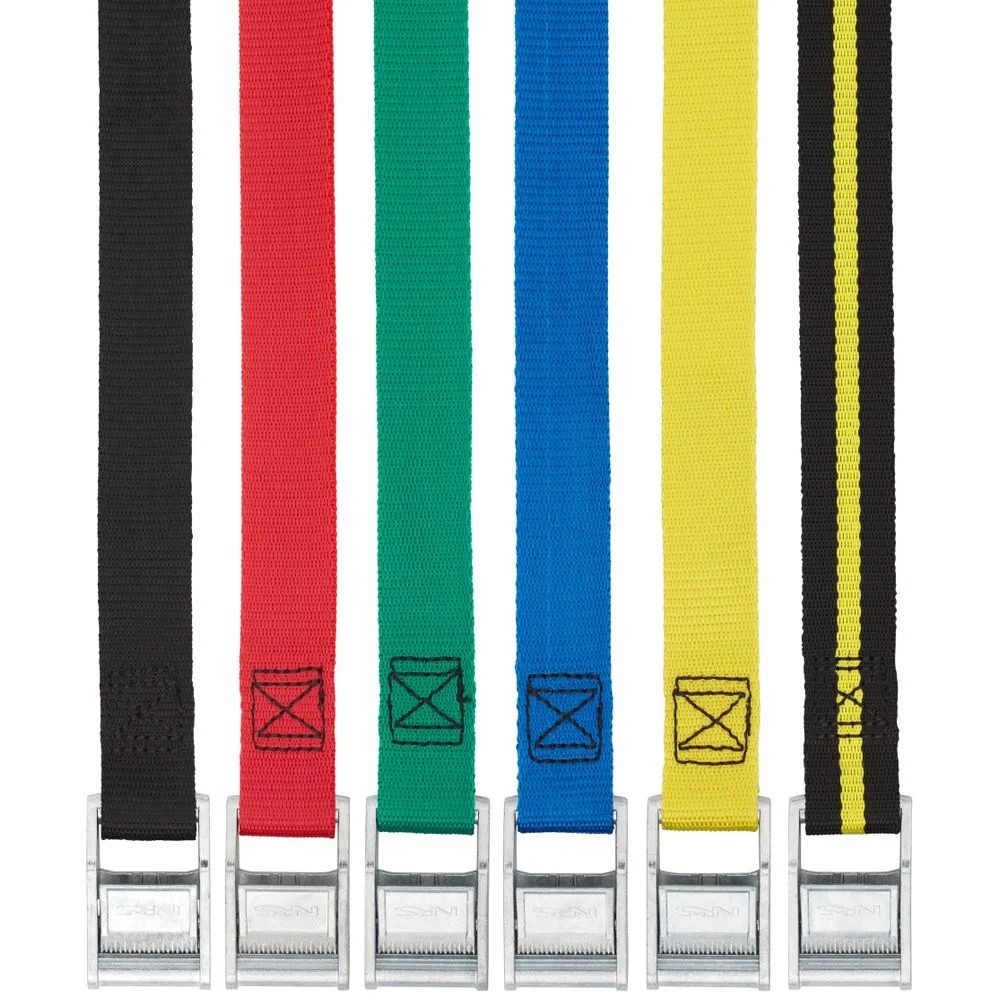
Quick strong tie downs
These straps are incredibly strong. The tensile strength of these 1.5 inchers is 2000 pounds. With their cam locks these NRS straps are easily and infinitely adjustable and can be cinched down very tight. They have almost no flex/stretch and can be used in situations where a bungee would be too weak or stretchy and would not be “bomb-proof” like a cam strap.
If you are a river runner you are already familiar with these straps. They hold your boat, frame and oars on your truck for the drive to the put-in. You then use them to hold the frame to the boat, your bags, spare oar and rocket boxes to the frame. The originals are 1″ wide and come in sizes from 1 foot up to 20 feet. As a commercial boatman I used these for everything from bundling firewood collected for that nights campfire to pulling a truck out of a ditch.
NRS has come out with a 1.5″ model that is the perfect width. I have even been using one for several months as a belt. In a pinch it can be used (at the risk of my shorts heading south) to strap/bind/tow just about anything. I keep two of the twenty footers in my truck at all times. These straps are a permanent part of my kit, right next to the duct tape, bailing wire and channel locks. — Topher Stephenson
Strap supplier
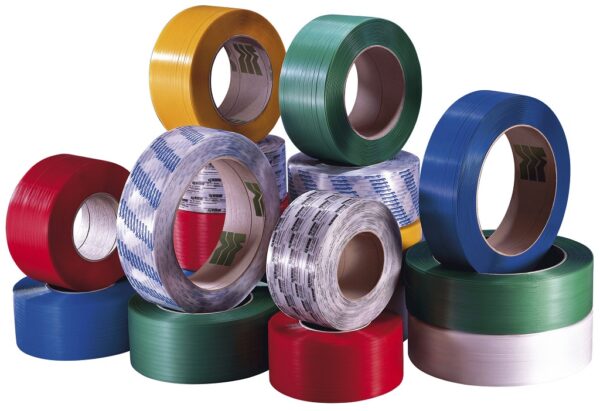
You can see all the different strap types and strap hardware (buckles, tie downs, keepers, clips, etc.) in use on all sorts of stuff swirling around us in daily life. But if you want to get some for your own projects?
Strapworks.com has pretty much all of it. Metal or plastic hardware. All sorts of strap and webbing material.
Inexpensive, easy to work with. Helped me a few times, and I know I will continue to use them when the need arises. — Wayne Ruffner
Extra Large Rubber Bands
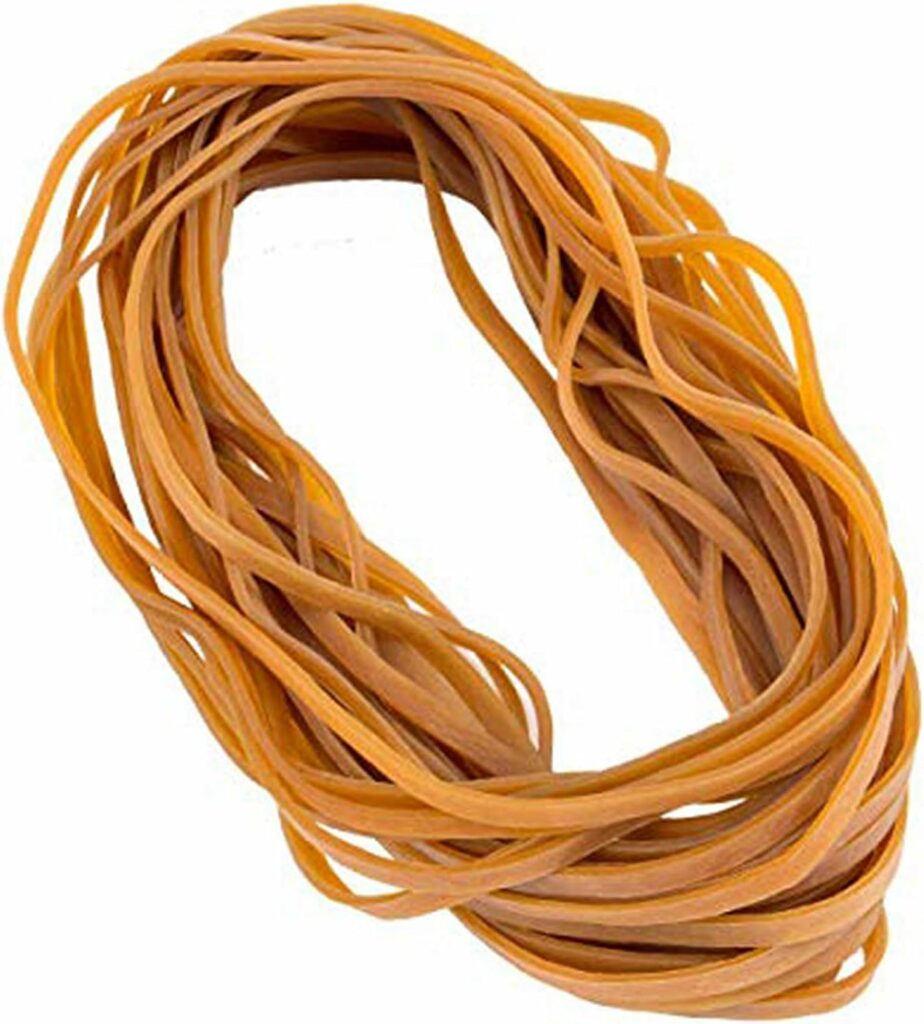
I have been buying one pound packs of rubber bands from LFSMarine for over five years now (along with their cheap and tough nitrile gloves and barge glue). My first buy was an impulse one. I thought, “It’s hard to find this size rubber band (3/4″ x 6″) and, besides, I wanted to make some slingshots so…” I got a one pound bag. When you get them, you realize a pound of these is a lot of banding material. With that abundance, you don’t stint their use.
I love them for binding together papers and books (I teach so I always have a few in my desk.) I have used them to hold wood in place for gluing. I use them along with barge glue and duct tape to splice materials together in the garden. And I use them for sling shots., too. In fact they are always in mind and on hand for any kind of kludge. I usually buy a couple of pounds of them at a time for less than ten bucks.
It’s fun to give them as gifts just for the odd looks you get now and the thank-yous you continue to get as they too discover that these bands are handier than a pocket on a shirt. Perfect for the maker/tinkerer in you and yours. — Terry Elliott
Gigantic twist ties
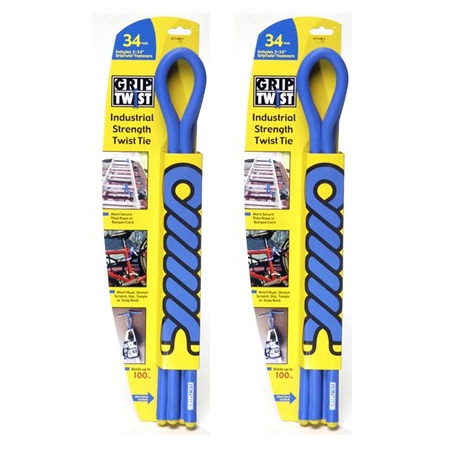
I picked up four of these at my local container store, not knowing exactly how I’d use them, but guessing they’d come in handy. Within 48 hours I’d already used them twice-once to secure the barrel of my telescope to its collapsed tripod for easy transport to a remote location, and then to stabilize a table and chairs in the back of my car for a trip across town-both times with great success. These giant, rubberized “twist-ties” were much more efficient and easier to use than a bungee cord in both cases.
Griptwist offer several advantages over bungees in particular. First, they provide “point-to-point” stability, rather than “tie-down” or “net-like” attachment. For example, when moving dining room furniture in the back of my car, I was able to use four Griptwists to connect the legs of chairs to each other, etc., at critical points, so that the entire mass (i.e., of one table and four chairs) was stabilized from within, rather than essentially trying to “net” or “wrap” the mass together from the outside, with bungee cords. Second, with bungee cords, there’s always a certain amount of “give,” unless you stretch them to their maximum, which isn’t always practical; bungeed objects will often move a bit more than you want them to. Third, if you do stretch bungee cords to their maximum, they exert great pressure on the object being contained. I wouldn’t have wanted to use bungees around the barrel of my telescope, for example. The Griptwists remain as tight (but only as tight) as you tie them, with no inherent potential energy to give or take along their own length like elastic bands. This brings to mind a fourth benefit: no danger of “snapback” when it’s time to unload or unpack.
Some things will always have to be netted down, and sometimes the stretchiness of bungees provides a benefit in and of itself (like the ability to squeeze one more last-minute object under the cords, without having to repack). Moreover, from the outside to the extent they lack handy points where a Griptwist could be employed (e.g., a couch, a canoe, a stack of luggage or boxes). But for temporarily affixing one object to another in a point-to-point fashion, with stability, I see more everyday utility in the Griptwist. — Adam Zaner
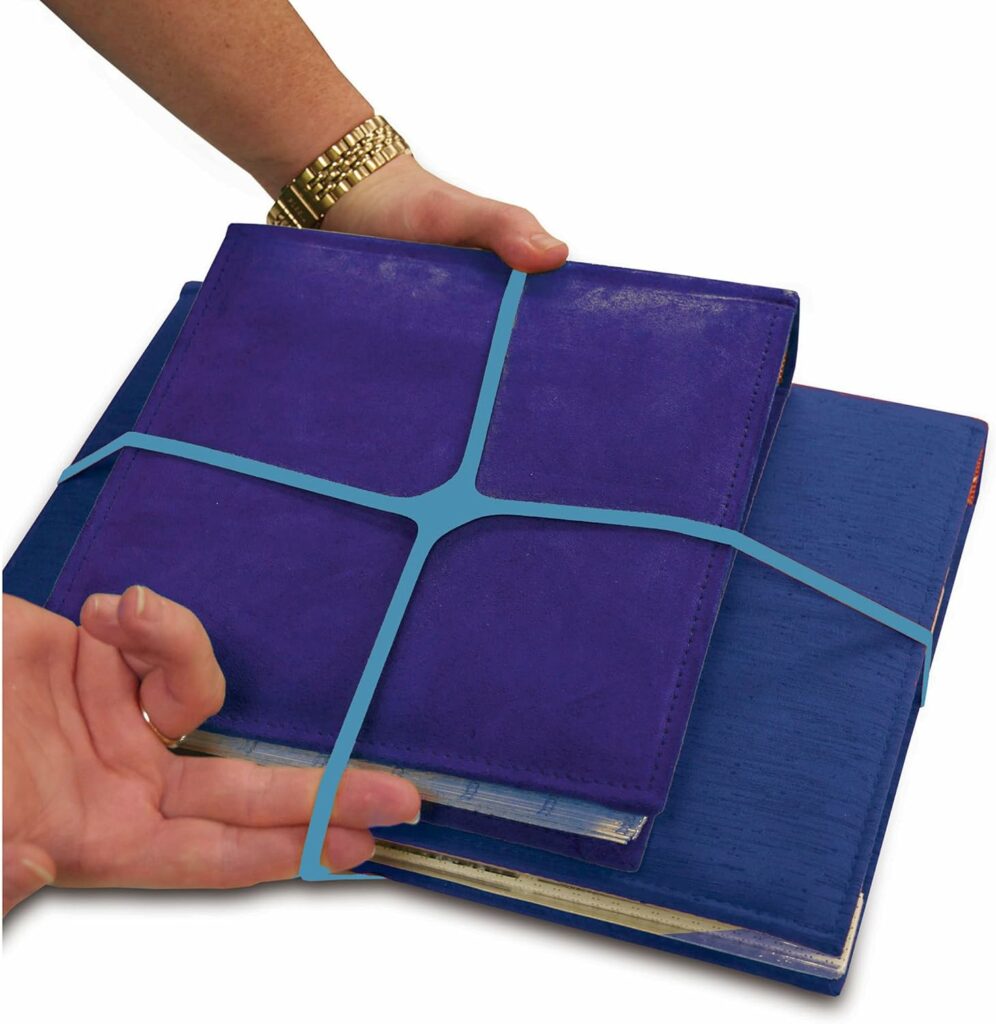
Parcel bands
These hefty four-way rubber bands are so much more useful that a plain old rubber band. Also they can be used decoratively on a simple brown-paper-wrapped gift. Or as a solid tie for bundles of magazines or newspapers. — Kaz Brecher
Once a week we’ll send out a page from Cool Tools: A Catalog of Possibilities. The tools might be outdated or obsolete, and the links to them may or may not work. We present these vintage recommendations as is because the possibilities they inspire are new. Sign up here to get Tools for Possibilities a week early in your inbox.
10/12/2611 October 2026
Jurassic sounds / Free Utilities / China travel tip
Recomendo - issue #535
Listen to a Jurassic forest
Scientists have reconstructed what a Jurassic forest might have sounded like 165 million years ago, and the one-minute audio is a really cool soundscape to imaginatively step into. They created it by analyzing and modeling the sound-producing structures preserved in 20 fossil insect wings from nine species that lived together in what is now Inner Mongolia. It’s a diverse chorus of low trills and high-pitched chirps, and I wish I could loop it all day as background noise. — CD
Inexpensive exercise headphones
If I’m doing vigorous exercise, my earbuds fall out. I didn’t want to spend a lot of money on a second pair, so I bought these inexpensive Joywise Bluetooth headphones. They are wireless, have loops that fit around the ear, and are connected to each other with a wire. Unlike most small earbuds, they charge via USB-C directly rather than in a case. The sound quality is great for the sub-$20 price, and the batteries last up to 16 hours before needing a recharge. — MF
Analog math
For mathematical nerds, Henry Segerman is your channel. Segerman 3D-prints weird mathematical shapes, invents curious mathematical toys, constructs intricate mathematical models, and turns math into analog things you can 3D-print yourself. His YouTube channel demos all this with expert explanations of the math behind it. — KK
Free online utilities
Normal Tools is a free collection of 193 single-purpose tools for all kinds of random small tasks, including calculators, color pickers, image resizing, and file conversion. It has more tools than I will ever need, but useful to bookmark. Most tools are private by default and process everything locally in your browser, with no account or download required. — CD
China Travel
I am traveling in China again and I am reminded that the best way for foreigners to book hotels, trains, and flights anywhere within China is to use Trip.com. It is easy to use, comprehensive, accurate, and reliable. — KK
The White Rose
Besides Recomendo, Cool Tools publishes a newsletter about books called Book Freak. I’ve been doing it for quite a few years, and I recently started finding old out-of-print books, scanning them, and turning them into ebooks with a new foreword and cover. This is a benefit for paid subscribers, and so far the library includes four books, with a new one coming every month. The latest is The White Rose by B. Traven, who also wrote The Treasure of the Sierra Madre. It was translated into English in 1979 but is out of print, so I used AI to translate the German version. It’s very readable and a fantastic book. You can read about it here. —MF
This Issue’s Sponsor
Why do smart people miss the future? Dev Patnaik explains why smart, hardworking people still get blindsided by change, and how to get better at noticing what’s coming before it arrives. Watch the TEDx talk.
Sign up here to get Recomendo a week early in your inbox.
10/11/2609 October 2026
Book Freak #221: Ways of the Six-Footed
Anna Botsford Comstock on the Dignity of Life’s Upward Struggle

I came across Ways of the Six-Footed, a collection of essays by Anna Botsford Comstock, Cornell’s first woman professor, while visiting the Museum of Jurassic Technology in Los Angeles. The museum has a nice reading library, and I was drawn to the book’s design and title.
I read it for about an hour, captivated by Comstock’s portraits of bees, ants, crickets, and caterpillars and the ways they solve the problems they face. I went home and ordered a copy, and it has stuck in my memory for over a decade.
Core Principles
1. Every Life Confronts Problems
The young Viceroy caterpillar eats a leaf down to its midrib and rests on the bare stem during the day, where birds could find him. “He fastens with a silken thread a little bunch of débris to the bare stem between his feeding-place and his resting-place. This is a clever performance; for if one of his foes should be hunting on this leaf and should start out on the denuded stem it would meet with this empty and worthless mass and would naturally be discouraged from further investigation.”
2. Observe the Humble to Learn the Grand
The Little Carpenter Bee nests inside a broken twig of elder or sumac. “Our heroine, with the aid of her mandibles or jaws, commences to excavate a tunnel in the branch by removing the pith mouthful by mouthful… we might compare her to a man who should attempt to dig a well three or four feet wide and two hundred feet deep, and with no tools except his hands with which to remove the earth.”
3. The Individual Serves the Whole
A young ant’s first job after it emerges is to care for the colony’s larvae. “When the ant babies are hungry they stretch up like young birds, and their nurses regurgitate partly digested food into the gaping, hungry mouths… When the sun shines hot on the nest in the morning the nurses carry their charges to the lower compartments, but toward night they carry them again to the upper nurseries.”
4. Go Back and Do Your Part
Comstock pried the maple-leaf cutter caterpillar’s tiny leaf tent loose and left it upside down, to see what he would do. “He crawled halfway out upon the leaf and by a dexterous lift of the rear end of his body he brought the tent down right side up and at once began pegging it down… He had spun his silken cords so they formed an X.”
Try It Now
- Go outside and observe a spider, insect, or other small creature. What problem is it trying to solve?
- Think about your own behavior. What are you trying to solve? The next time you face an overwhelming problem, think about how a solitary or social insect works through its problems one step at a time. How could you break your big problem into a set of smaller ones?
- If you’re waiting for conditions to be perfect before you act on a project, think about how animals build shelter from whatever materials are at hand. What do you have at hand, physical, conceptual, or social, that you could use?
- Some insects succeed through sheer persistence. That might be the only thing you need to add to solve your problem.
Quote
“I felt inspired to go back and serenely do my own little part as well as I could, trusting that somehow, somewhere, and to Some One the net proceeds of struggle are greater than the cost.”
Book Freak is published by Cool Tools Lab, a small company of three people. We also run Recomendo, the Cool Tools website, a YouTube channel and podcast, and other newsletters, including Recomendo Deals, Gar’s Tips & Tools, Nomadico, What’s in my NOW?, Tools for Possibilities, Books That Belong On Paper, and Book Freak.
10/9/2608 October 2026
Multi-day Hikes/Debit Card Back-ups/Worst Airport Connections
Nomadico issue #227
Best Multi-day Hikes on Multiple Continents
This article has a flawed title since it’s missing some of the longest and best-known treks, but this list of 28 of the best multi-day hikes in the world deserves kudos for one big reason: she’s done them all. From the Inca Trail and Chile’s W Trek to Everest Base Camp and the Routeburn Trek in New Zealand, there are a lot of tempting trips on here to plan around if you love the outdoors.
Enhance Your Rental Apartment
What do an extension cord, a corkscrew, a French press, an ice tray, and a large drinking glass have in common? They’re all items I’ve bought and left behind when the furnished apartment I rented while traveling was lacking what I needed. Yeah, I could have made a request with the owner, and have done that when the kitchen was truly barren, but I’ve learned that “Don’t sweat the small stuff” is a good short-term apartment rule of thumb. Most items I bought in some kind of discount store or the local market, always an added adventure. The coffee press came from a Malaysian IKEA ($8), another interesting cross-cultural experience. One friend who used to be nomadic would even buy an air fryer and leave it if he was in a place for two or three months, but I’m not sure I would go that far…
International Money Back-ups
My ATM card never came back out of the machine when I used it in Tashkent, two years after an airport ATM ate a version of the same card in the Republic of Georgia. The second instance had a happy ending thanks to a phone call from my tour guide and a trip to the bank’s HQ. I was never really sweating it though because I had backups. I have three cards that don’t charge an ATM fee and reimburse the local fee as well (to a point with the last one). They’re tied to cash accounts at Fidelity, Schwab, and my biz bank Novo. I generally keep at least one in a separate place/bag from the others. Plus a PayPal card, a Wise one (don’t love it), and whatever my wife is carrying. Overkill? Maybe, but I never pay a fee to get my money this way and I know I’ll always have access.
Airports Where Connections Are a Pain
While you see lots of lists for best airports (we highlighted one for the USA last week) and worst airports, this article Kevin Kelly sent me that originally ran in the Washington Post focuses on one aspect: long and confusing connections. A few frequent travelers I know are quoted in it and I can say that all four airports I try hard to avoid for connections are featured: Miami, JFK, Heathrow, and Paris. Two of them mentioned, Frankfurt and Denver, have been 50/50 for me. I hate a lot of things about Istanbul’s airport, but getting to your gate is fairly straightforward there.
A weekly newsletter with four quick bites, edited by Tim Leffel, author of A Better Life for Half the Price and The World’s Cheapest Destinations. See past editions here, where your like-minded friends can subscribe and join you.
10/8/2606 October 2026
Shaman Vol. 1 / Adventures with Barefoot Critters
Issue No. 138
SHAMAN IS BONKERS AND GOOFY AND ABSURD – AND GROUNDED IN REALITY






Shaman Vol. 1
by Ben Kahn (author) and Bruno Hidalgo (artist)
Locust Moon Press
2015, 132 pages, 7 x 10.5 x 0.2 inches (paperback)
“He’s the one who makes your whole world possible. This is a world of noble heroes, and savage villains. A world where men and women of great power die everyday. And the Shaman? The Shaman is the one who brings them back.”
Ben Kahn and Bruno Hidalgo’s Shaman Vol. 1 is, on its surface, an entertaining, fast-paced, self-deprecating story about a guy who raises the dead, his young daughter who wields magic from her mystical tattoos, and a teleporting former superhero-turned-sidekick who travel around bringing back to life those whom “the personification of life itself” tells them to. Along the way, they fight skeletons and Cosmic Guardians and giant green monsters, all the while throwing down quips and wisecracks and pop culture references. It’s fun stuff all around, pulling you in and making you laugh out loud.
But coursing underneath throughout the narrative is an examination of the concepts of right and wrong, good and evil, life and loss, and what it means to be a “family.” Ben Kahn’s storytelling works in the gray areas where nothing is clean cut, and everything, therefore, becomes far more interesting. What could easily be flat, one-dimensional characters are, here, complex, multi-dimensional beings whose motivations and choices are constantly examined and second-guessed. As outlandish a concept as Shaman is, it’s grounded in the human reality; the reader knows these characters because the reader is these characters.
So often in comics the intent of the writer gets lost in the complexity of the artist’s choices, but not so in Shaman. Bruno Hidalgo’s rendering, linework, composition, and pacing not only complement the tone of Kahn’s rich narrative, they enhance it. Hidalgo understands the beats of graphic storytelling, pausing in all the right moments, and using panel structure and layout to capture the rhythm of action. Hidalgo’s choices as an artist amplify both the comedic and dramatic elements of Shaman perfectly.
Certainly, much of Shaman Volume 1 is bonkers and goofy and absurd. But Kahn and Hidalgo are offering much more than Pop Tarts for breakfast here. What is the right thing to do? How do we understand pain and loss in our lives? What does it mean to be a parent, a friend, a hero? Shaman is serving a full meal for dinner – it just happens to be one with a deliciously sweet and fun frosting on top. – Daniel Elkin
ADVENTURES WITH BAREFOOT CRITTERS TEACHES ABCS WITH CHARMING WOODLAND FLORA AND FAUNA
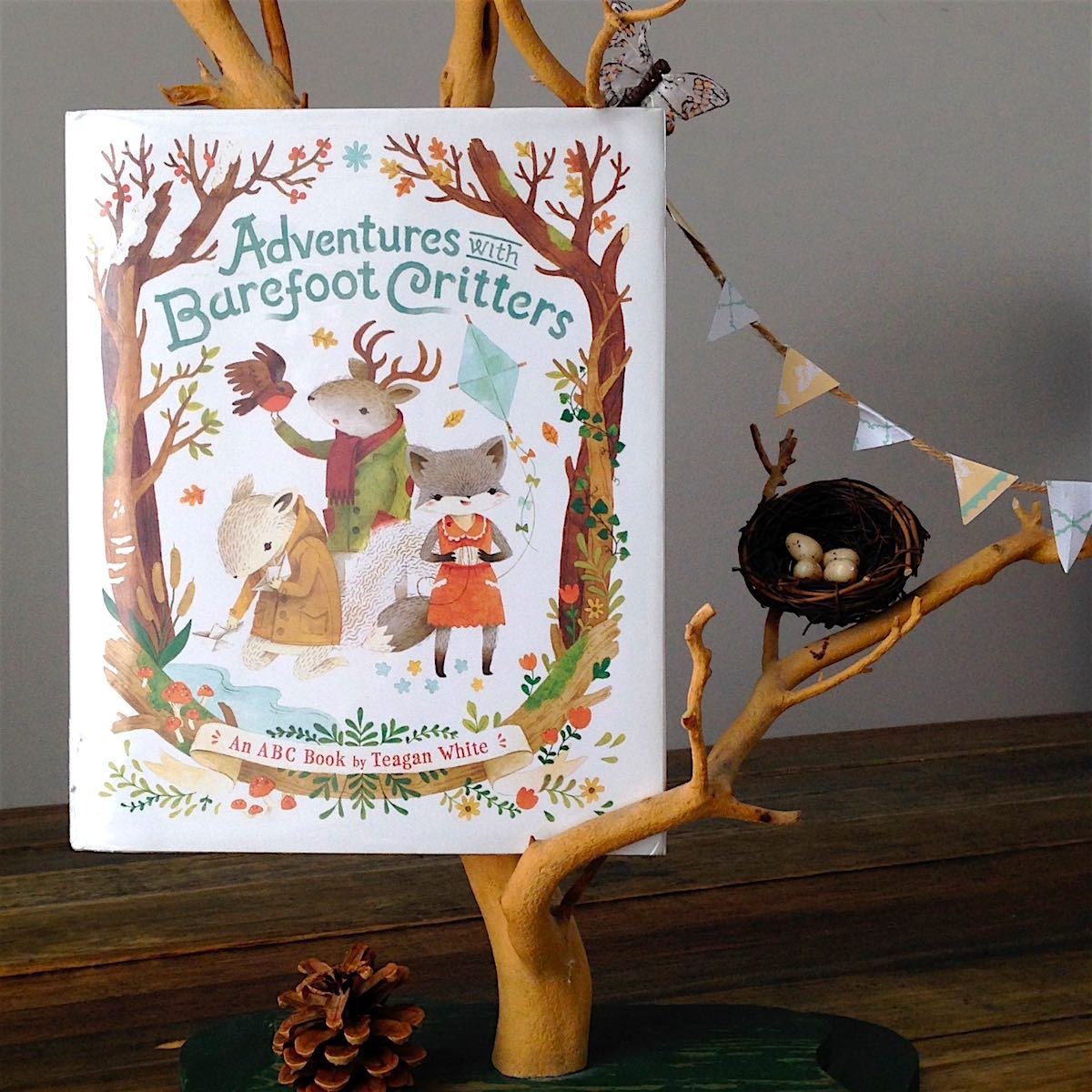
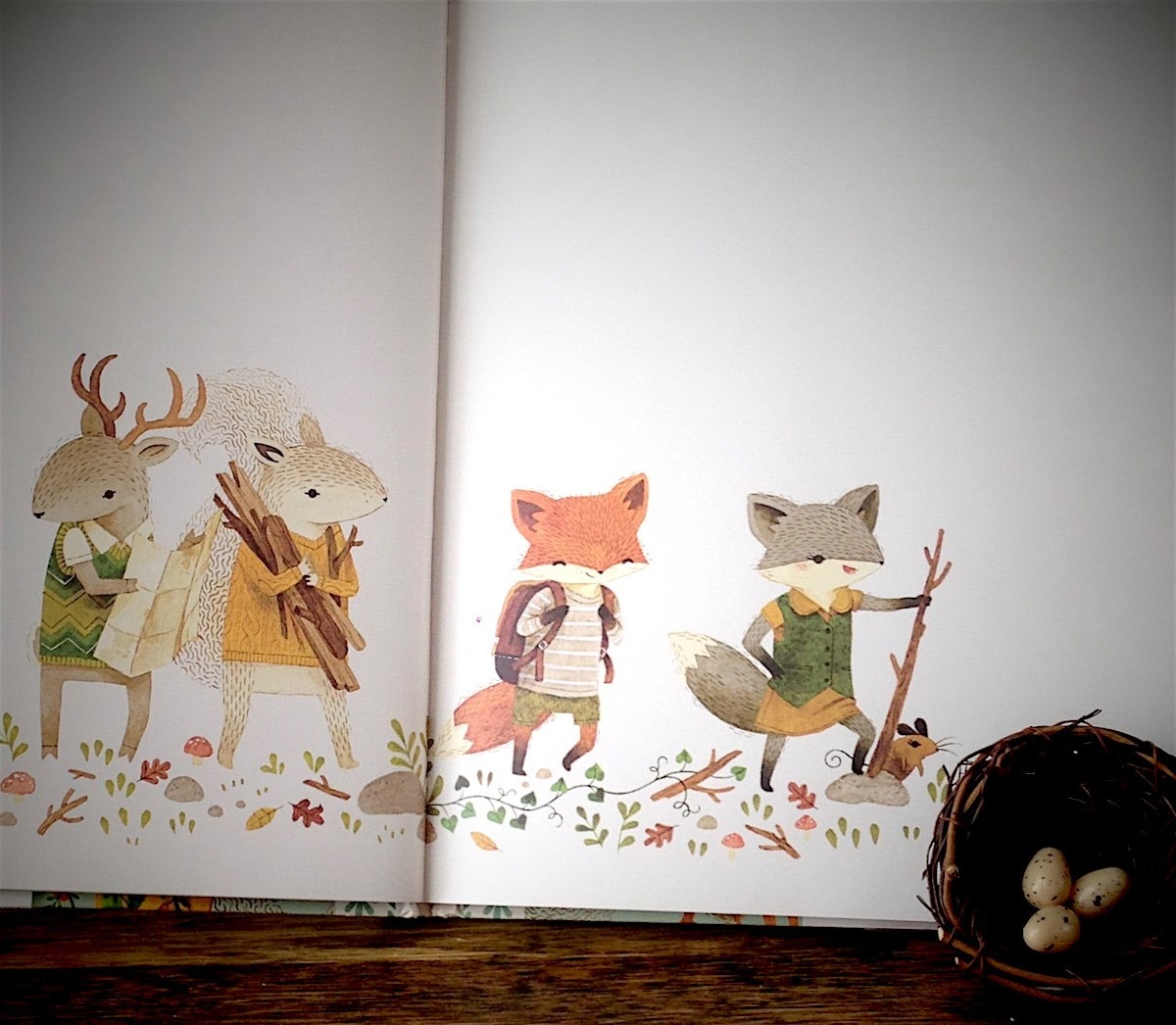

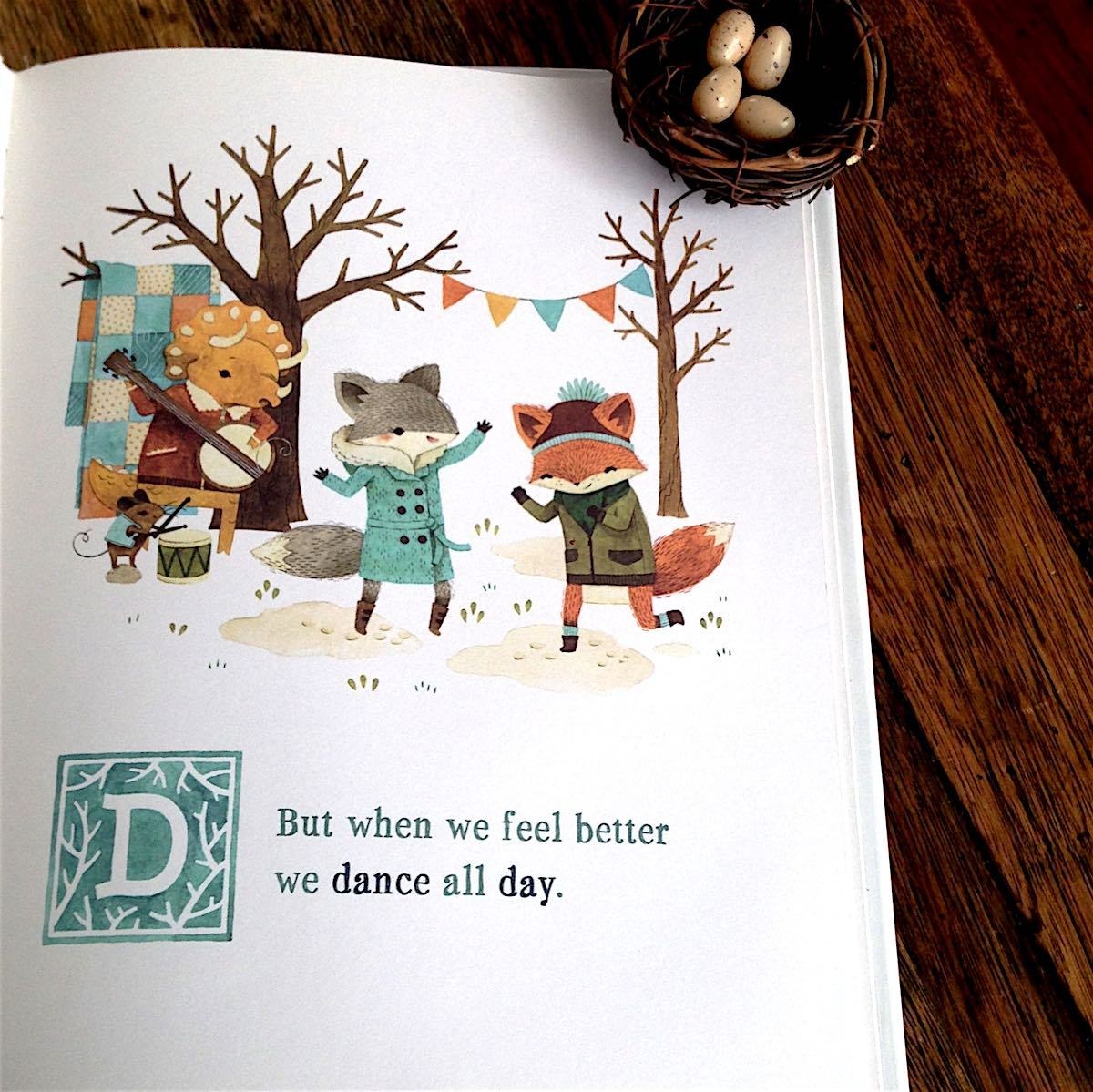
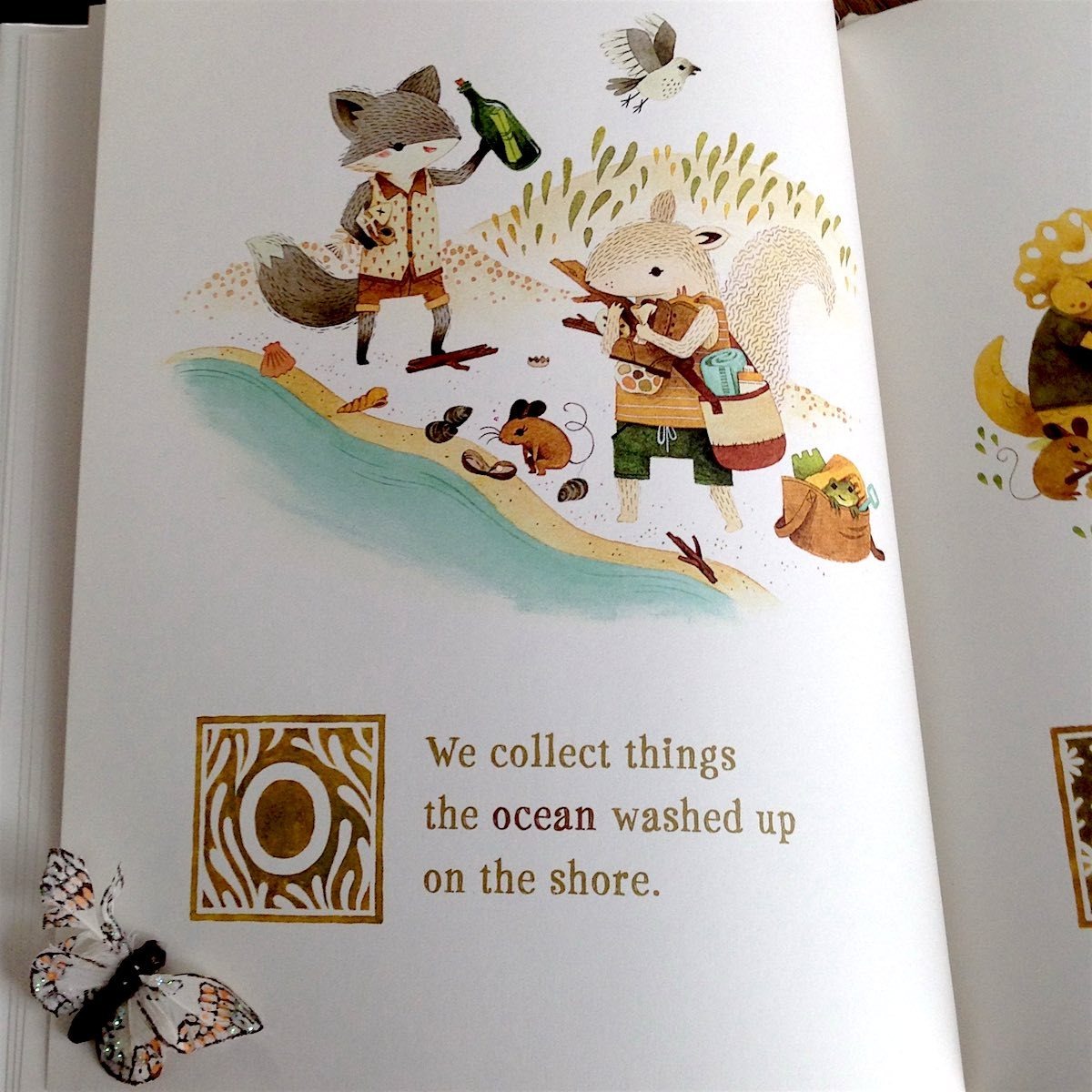

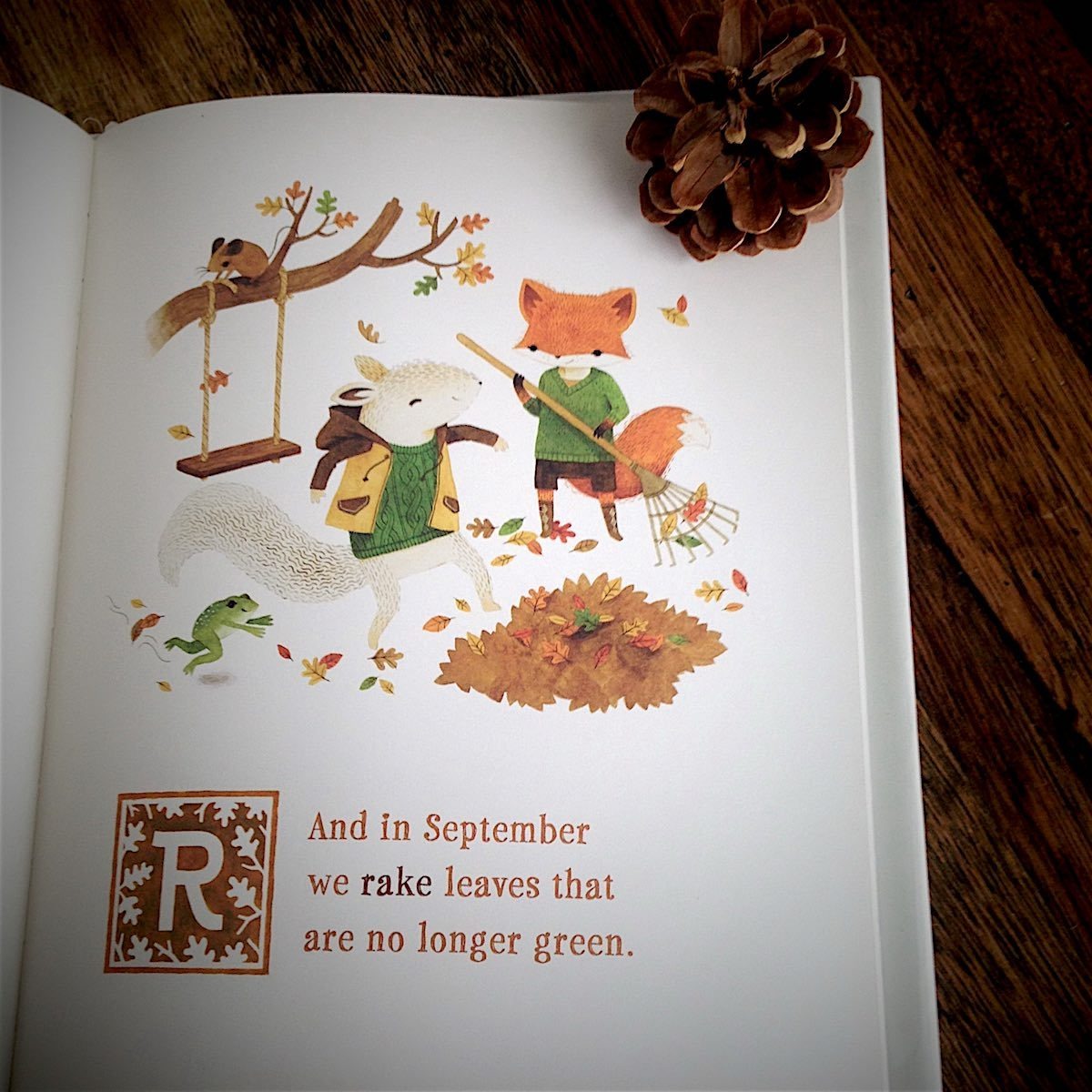
Adventures with Barefoot Critters
by Teagan White
Tundra Books
2014, 312 pages, 8.4 x 10.3 x 0.5 inches
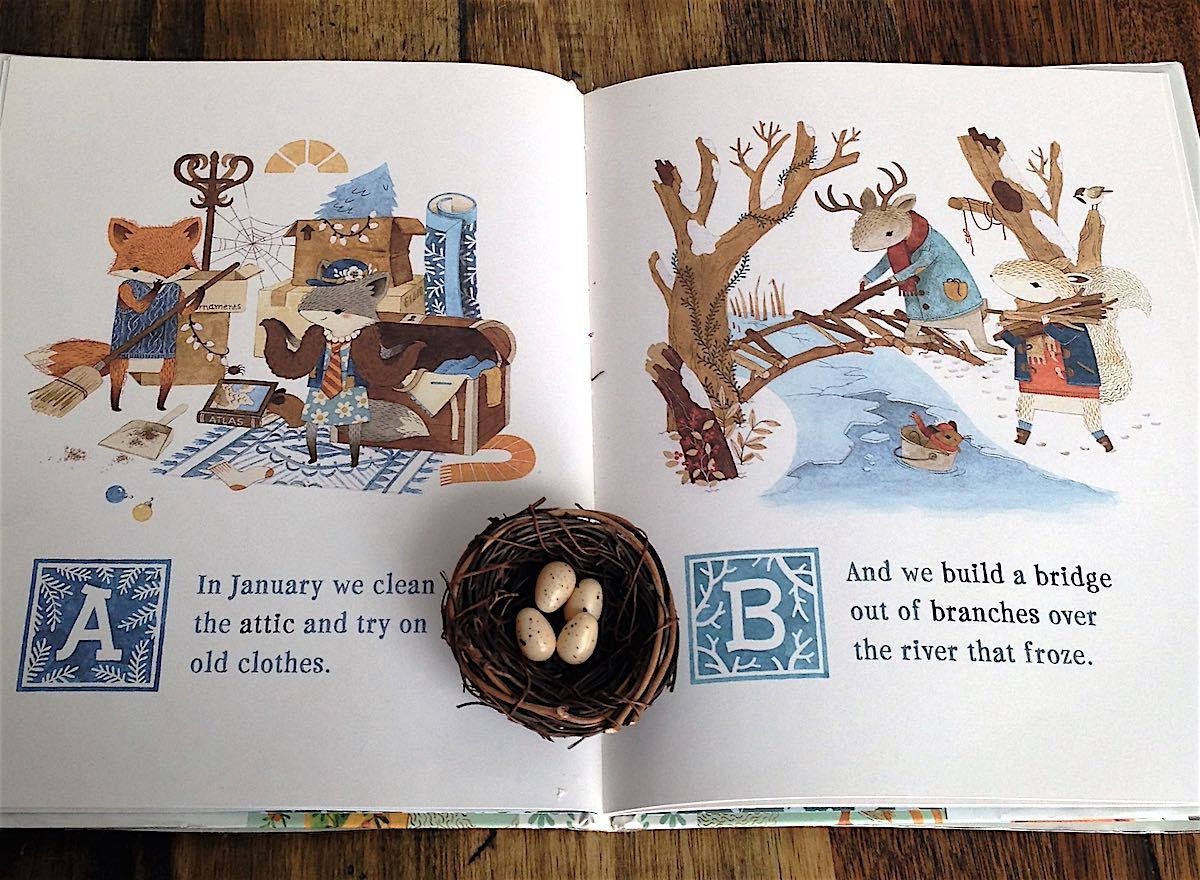
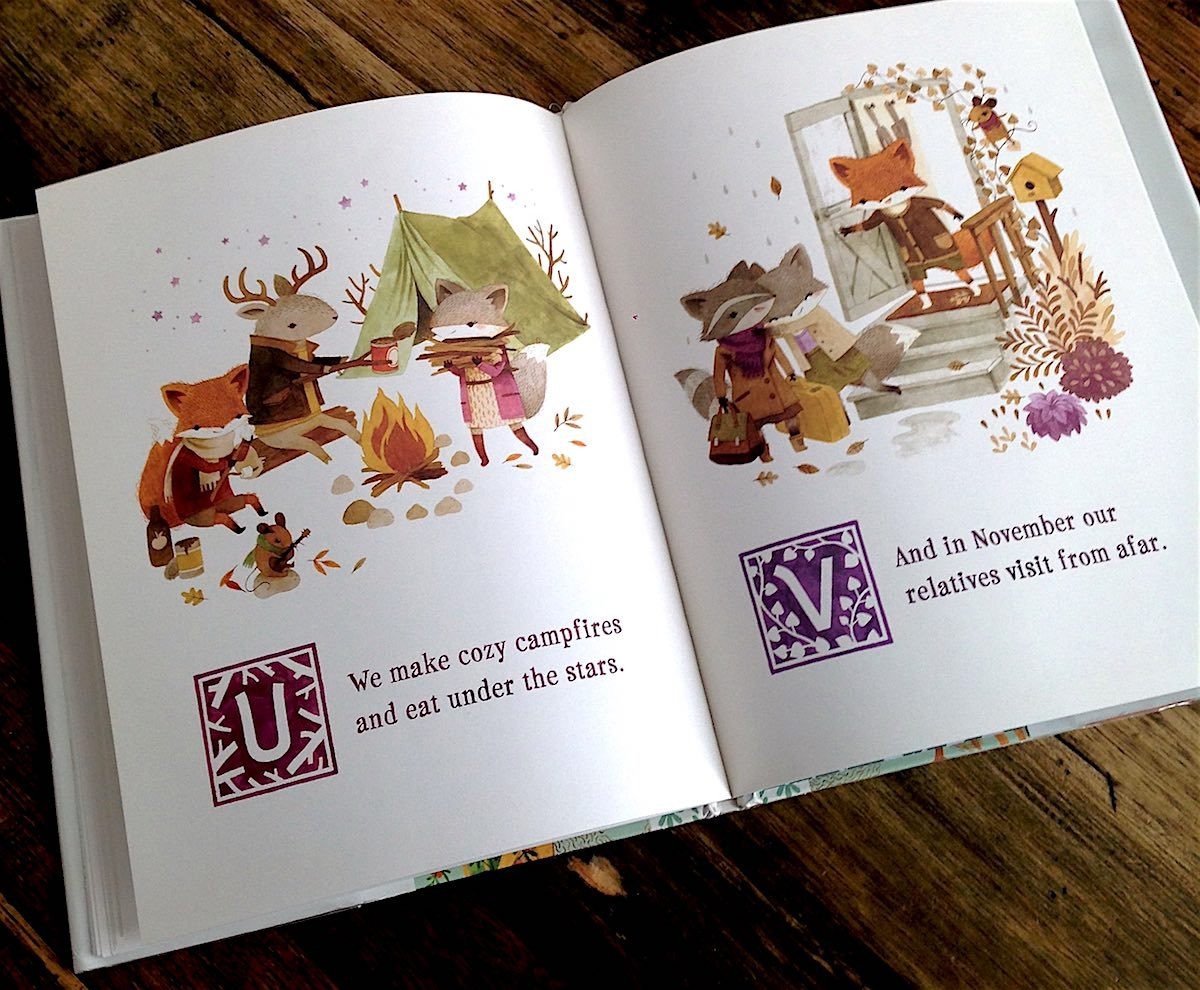
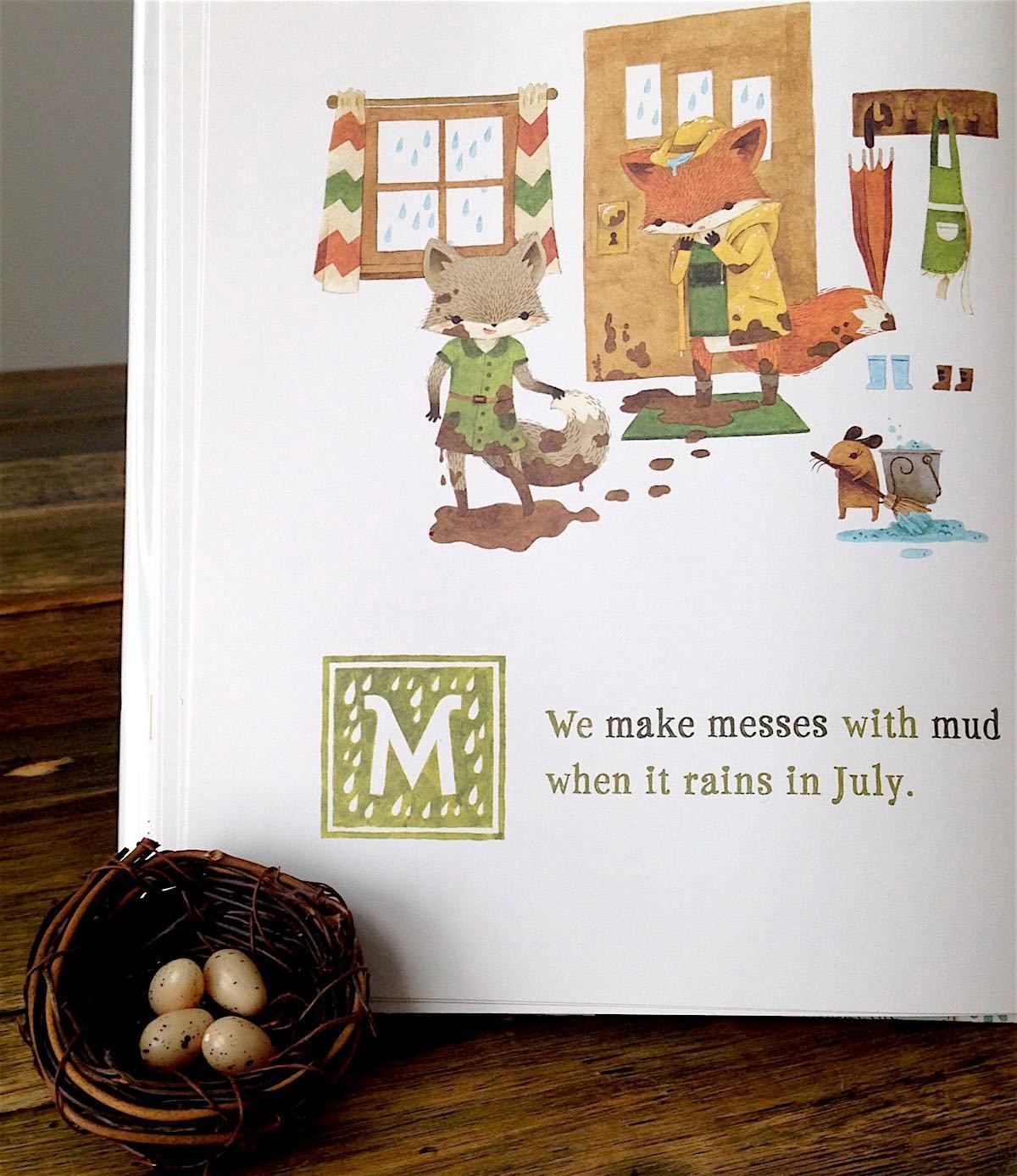
A is for adorable and that’s just the beginning of the attributes you’ll want to ascribe to this sweet account of anthropomorphic animals and the alphabet. Teagan White has created a charming book filled with colors awash in the glow of nostalgia, where forest critters romp across a scenic woodland, bundled in impossibly cute sweaters and tiny, striped scarves.
Adventures with Barefoot Creatures is characterized as an ABC book but its letter-themed, rhyming stanzas also follow the woodland flora and fauna through the seasons. A, B and C take place in deep winter as the critters clean out the attic and sniffle through colds. Spring arrives, with robin’s eggs and growing things twining their green vines and reaching across the pages in a riot of whimsy. Exuberant, the critters frolic in the summer’s sun, swimming in the lake and collecting ocean artifacts from the shores. As the end of the alphabet approaches, cable knit sweaters reappear and the illustrations become clotted with the changing colors of leaves and the warmth of campfires. Z arrives to find the barefoot critters snuggled together, exhausted from their delightful New Year’s festivities and tumbled together in a darling snoozefest on the couch.
ABC books are a well-explored subgenre that usually offers little in the way of novelty. Adventures with Barefoot Critters is a title that steps outside the clichéd with playful, quaint artwork that beguiles. If you enjoy the fascinating world of the quirky, imaginative Ms. White and her cast of cheery woodland companions, keep your eyes peeled for her latest book arriving in late summer, Counting with Barefoot Critters. Be assured that it will contain enough anthropomorphic animals in adorable sweaters to warm your literary heart through another season of reading. – Kaz Weida
Books That Belong On Paper first appeared on the web as Wink Books and was edited by Carla Sinclair. Sign up here to get the issues a week early in your inbox.
10/6/2605 October 2026
Tracking Mice
Tools for Possibilities: issue no. 210
Low cost six-axis mouse
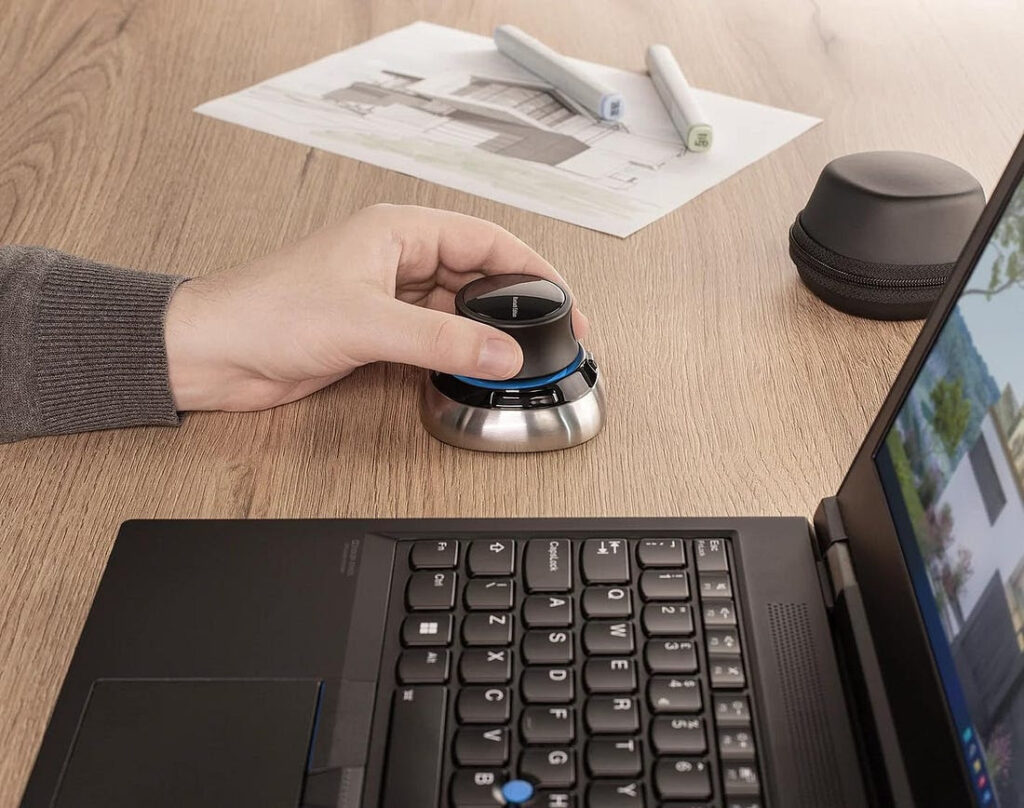
Logitech now sells a low-cost, very high quality, 3D controller called the SpaceNavigator. When I bought mine, you could get an edition for personal use that is only $59 (instead of $99 for the pro edition). This increases Sketchup productivity and fun factor by 2-3 times. If you like SketchUp you have to have this!
The SpaceNavigator is a six-axis controller that you use in conjunction with the mouse and keyboard. With it you can move around the model in three dimensions, intuitively and without changing from one mode to another (e.g. pan to rotate to zoom). You can also configure it to work in what ever fashion is easiest and most intuitive for you. With a little practice you can move through and around the model using the mouse and SpaceNavigator, never touching the keyboard. It provides a huge increase in productivity and, frankly, fun. I’m designing an addition to our house and my kids (6 & 8) have learned to fly through the model without my help. Of course you can use it with other 3D applications, like AutoCAD, Rhino and Maya.
This is one of those things that you purchase and fall in love with because it’s useful, high-quality, and inexpensive. (It works in Windows, Linux, Unix — but not Mac!)— Mike Green
Of mice and men
Logitech Performance and Anywhere MX Mice
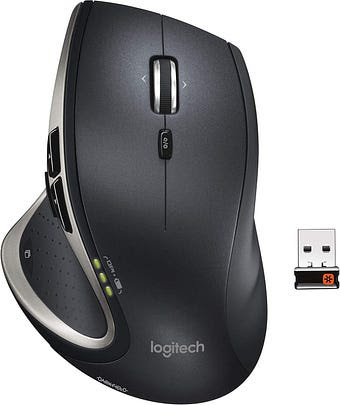
I’ve been using Logitech’s Performance Mouse MX and its former model for about four years. They all have one important feature: hyper fast scrolling. Since I’m an engineer who has to deal with source code files that easily contain thousands of lines, I have to scroll an ordinary mouse hundreds of times to browse a file. With hyper fast scrolling, it only takes one single scroll as the wheel spins with minimal friction. This really reduce the stress on my fingers. It can also easily be switched back to normal scrolling behavior (by pushing down on the scroll wheel) when I’m not dealing those gigantic files. — Jordan Cherng
Similar to Jordan’s Logitech Performance Mouse MX is the Anywhere Mouse MX that I’ve been using for the past two years. Unlike the Performance model, the Anywhere model is significantly smaller, and is easily packed in the included carrying case. Despite the small size, I find it to be one of the most comfortable mice I’ve ever handled which is especially surprising as I have large hands!
Outside of size, the two mice are remarkably similar. Like its bigger brother, the Anywhere Mouse also features “hyper-scrolling” which is very useful when dealing with large documents or long web pages. The scrolling (among other features) is customizable with the included Logitech software (that works for both PC and Macs). Outside of scrolling, they both feature programmable buttons, and most importantly very accurate tracking. Logitech calls their technology Darkfield which they claim is better able to respond to irregularities on a surface (and thus respond more accurately during tracking). I’ve used mine on many shiny surfaces which normally confuse optical mice without any problems, with the biggest surprise coming when I used it on a glass countertop which is normally a no go for laser-tracking mice.
The only other significant differences between the two are that the Performance Mouse can be charged via micro-USB, and that it has a few more buttons for those who want to maximize the customizability of their mice. Both use Logitech’s unifying receiver (which we’ve reviewed in the past) and have excellent battery life. My Anywhere Mouse gets about 4-6 months of use from two rechargeable AAs.
Despite being significantly more expensive than other mice on the market, I have found that these higher end Logitech mice are worth it. They are comfortable and reliable pieces of technology that seem to disappear in use, and for that I’m incredibly grateful. — Oliver Hulland
Ergonomic mouse
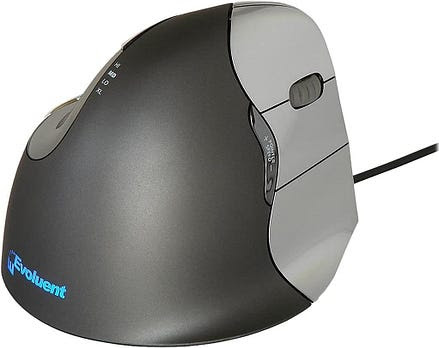
From a relaxed standing position with your arms at your side raise your right hand while holding your elbow still until your fore arm is level with the floor. Spread you fingers apart and rotate your hand until your palm is facing down – keeping your elbow at your side. Now if you are anything like me your hand is rotated about as far as it can. In mechanical parlance, the wrist is “hard against the stops.” When you are using a conventional mouse it is in this rather tense and uncomfortable position that your hand remains. As a designer I often spend days on end at the computer modeling in 3D – left hand on the space ball and keyboard with right hand on the mouse. Over time I began experience a myriad of painful symptoms from fore arm throbbing to thumb tenderness to shoulder aches. These discomforts grew into debilitating pain to the point I wondered if I could continue in my chosen profession. And then I discovered the Evoluent Mouse – and instantly the pain and discomfort tailed away to nothing.
Repeat the previous exercise but this time place your hand in a vertical – hand shake like – position. You will find that your hand is now very relaxed residing as it does pretty close to halve way between hard right rotation and hard left. The Evoluent mouse looks like a mouse turned on its edge with the laser tracking business on the edge of the mouse. This configuration positions the hand and wrist in a basically neutral position thereby avoiding the stresses rotating the hand to a palm down position induces.
I cannot overstate how drastic an improvement this mouse is from all others. Both Microsoft and Logitech make products which rotate the hand partially toward the vertical but these are partial measures and do not afford the total neutral ergonomics provided by the Evoluent. If you are fighting soreness or pain from you mouse arm-hand – please give your body a break and give the Evoluent mouse a try. — Donald Ansley

Best, cheap trackball
While I’ve always spent a lot of time computing, the precise, all-day cursor movements of professional writing and designing (a recent switch) got me vexed with my previous mouse’s lack of control and an aching wrist. After borrowing a friend’s $70 trackball and enjoying the fingertip control and comfort, I set out to get tracking at the lowest possible cost and highest possible comfort. I settled on the Logitech Marble Mouse.
Shaped like a low, oval hill, this $20* mouse is a nice inverse of the natural curve of a hand. The trackball sits naturally under the index and middle fingers and moves very smoothly. The sizable left and right buttons are situated directly under your thumb and ring finger, while the two smaller buttons above them can be designated for a variety of functions like scrolling and zoom. The symmetry also makes it ambidextrous, which is great for any left/right-handed families that share a home computer.
I did try a few thumb-operated trackballs, but a slight weirdness in my right thumb joint causes some discomfort when I move it a lot. Every time I put my hand on the Marble Mouse, I’m able to keep it totally relaxed. The mouse is large enough for comfort, but still relatively small enough to take on the road. The build quality is solid, and it’s easy to clean. Best of all, my wrist no longer smarts after a long day’s editing.
Bonus: the heavy, low-friction ball makes a nice desk toy when you need a break. — George Cochrane
Once a week we’ll send out a page from Cool Tools: A Catalog of Possibilities. The tools might be outdated or obsolete, and the links to them may or may not work. We present these vintage recommendations as is because the possibilities they inspire are new. Sign up here to get Tools for Possibilities a week early in your inbox.
10/5/26ALL REVIEWS



EDITOR'S FAVORITES
COOL TOOLS SHOW PODCAST
WHAT'S IN MY BAG?
30 September 2026

ABOUT COOL TOOLS
Cool Tools is a web site which recommends the best/cheapest tools available. Tools are defined broadly as anything that can be useful. This includes hand tools, machines, books, software, gadgets, websites, maps, and even ideas. All reviews are positive raves written by real users. We don’t bother with negative reviews because our intent is to only offer the best.
One new tool is posted each weekday. Cool Tools does NOT sell anything. The site provides prices and convenient sources for readers to purchase items.
When Amazon.com is listed as a source (which it often is because of its prices and convenience) Cool Tools receives a fractional fee from Amazon if items are purchased at Amazon on that visit. Cool Tools also earns revenue from Google ads, although we have no foreknowledge nor much control of which ads will appear.
We recently posted a short history of Cool Tools which included current stats as of April 2008. This explains both the genesis of this site, and the tools we use to operate it.
 Kevin Kelly started Cool Tools in 2000 as an email list, then as a blog since 2003. He edited all reviews through 2006. He writes the occasional review, oversees the design and editorial direction of this site, and made a book version of Cool Tools. If you have a question about the website in general his email is kk {at} kk.org.
 Mark Frauenfelder edits Cool Tools and develops editorial projects for Cool Tools Lab, LLC. If you’d like to submit a review, email him at editor {at} cool-tools.org (or use the Submit a Tool form).
 Claudia Dawson runs the Cool Tool website, posting items daily, maintaining software, measuring analytics, managing ads, and in general keeping the site alive. If you have a concern about the operation or status of this site contact her email is claudia {at} cool-tools.org.






